Facebook Business Advertising: Onboarding Clients the Simple Way
12/14/2025

The fastest way to lose momentum on a new Facebook Business advertising engagement is to start with a messy handoff. Back‑and‑forth emails, screenshots of the wrong settings, missing pixels, and unclear permissions can push your first campaign a week behind schedule. The fix is a standardized, one‑link onboarding flow that captures everything you need in minutes, not days, and makes your client feel confident from day one.
In this guide, you will learn the exact assets to request, a simple step‑by‑step flow, permission templates that fit your service scope, and the metrics that prove your onboarding works. You will also see how to deliver it with a branded, secure experience that scales.
Why Facebook client onboarding breaks
- Platform sprawl, your team needs Page, Ad Account, Pixel, Catalog, and sometimes Apps, while the client may not know where these live.
- Role confusion, clients do not know which permissions you actually need, so they either over‑grant, which is risky, or under‑grant, which blocks you.
- Manual capture, collecting IDs, screenshots, and logins by email creates errors and audit headaches.
- Measurement lag, pixels, the Conversions API, and domain verification arrive late, so your first spend learns slower and looks worse than it should.
A simple, branded link that walks clients through exactly what to connect, and which permissions to grant, removes nearly all of this friction.
What you actually need for Facebook Business advertising
For most agency engagements, plan to collect:
- Business Manager ID, confirm the client owns the assets and has 2FA enabled.
- Facebook Page, the brand page that will run ads.
- Ad Account, production account where billing is configured.
- Pixel and Conversions API connection, measurement signal with server events when available.
- Domain verification and Aggregated Event Measurement configuration, so priority events can be optimized quickly.
- Catalog, for ecommerce or dynamic product ads when relevant.
If the client does not have a Business Manager yet, point them to a quick setup, then standardize partner access. For a deeper walkthrough of secure access and prerequisites, see our guide on Meta Business Setup: Secure Access Steps for Agencies.
The simple flow, from signed SOW to first impression
-
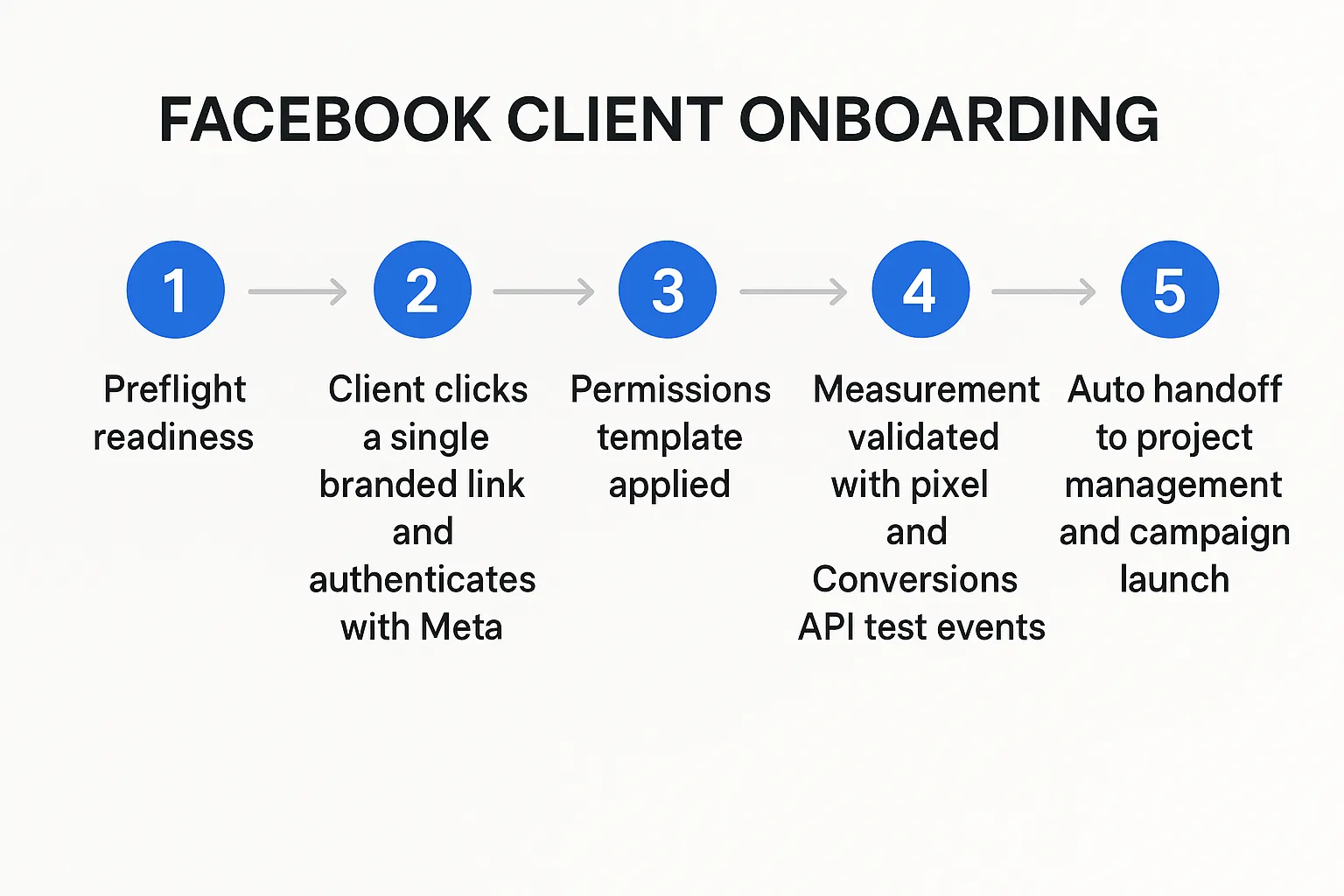
Preflight, confirm ownership and readiness. Verify the client’s Business Manager, 2FA, billing on the ad account, and whether a pixel and domain are already set up.
-
Send one branded onboarding link, the client clicks once, authenticates with Meta, selects their assets, and approves a permission template matched to your package. No passwords, no screenshots.
-
Live verify in your dashboard, confirm you can see the Page, Ad Account, Pixel, Catalog, and that permissions match your template.
-
Validate measurement, fire Test Events, confirm Conversions API health if used, and set Aggregated Event Measurement priorities.
-
Auto‑handoff to delivery, push assets and metadata into your PM or CRM via webhooks or API, create your campaign shell, and assign tasks.
Permission templates that fit your scope
Standardizing permissions by package reduces risk and rework. Use least privilege by default, escalate only when needed.
| Package scope | Assets requested | Recommended access level | Notes |
|---|---|---|---|
| Media buying only | Ad Account, Page, Pixel | Ad Account: Advertiser or Admin if you handle billing, Page: Advertiser, Pixel: View or Manage for event setup | Add Catalog access if using product sets |
| Full‑funnel growth | Ad Account, Page, Pixel, Catalog, Domain | Ad Account: Admin, Page: Advertiser or Admin if managing page assets, Pixel: Manage, Catalog: Manage items | Needed when you own measurement and feed health |
| Creative only, ads execution by client | Page, Ad Account | Page: Advertiser, Ad Account: Advertiser | No Pixel or Catalog needed if client runs optimization |
If you prefer a step‑by‑step checklist focused solely on access, bookmark our Facebook Business Manager Access: Client Onboarding Checklist.
The 10‑minute client preflight
Share this with your client before sending your onboarding link. It cuts the first call in half.
- Confirm Business Manager ownership and 2FA is on for all admins.
- Identify the live Ad Account that will fund campaigns, confirm billing.
- Identify the correct Page, avoid regional duplicates.
- Confirm a Pixel exists, or agree to create a new one, and decide on Conversions API.
- Verify your primary domain and, if applicable, prepare Catalog ownership.
- List any compliance or restricted category policies that might affect ads.
For clients still unsure about Meta’s product names, this explainer clarifies terms and account structure, Meta Manager vs Business Manager: What Agencies Need.
Measurement and CAPI, without the drama
Launch day should not be the first time you think about signal quality. Build these into onboarding by default:
- Pixel and Conversions API side by side, configure server events where possible to improve resilience.
- Use Test Events to validate purchases, leads, and other priority actions.
- Set Aggregated Event Measurement priorities for the verified domain, align with your optimization events.
- Check Event Match Quality and resolve obvious gaps, emails or phone numbers where appropriate and compliant.
If you want a deeper operational view across platforms, see our broader SOPs, Online Marketing Company SOPs: Client Access in Minutes.
Governance built into onboarding
- Least privilege, only request what your package needs, escalate temporarily if blockers appear, then roll back.
- No personal logins, use role‑based access tied to the business entity.
- Documented assets, capture IDs automatically in your system of record.
- Offboarding check, include a standard revocation routine in your engagement close or renewal.
Our post on Facebook Manager Ads: Clean Account Access for Clients breaks down clean access principles in more detail.
Metrics that prove your onboarding works
Measure onboarding like a product, what you track improves.
- Time to first impression, signed SOW to first ad delivery.
- Time to first conversion, signed SOW to first tracked conversion.
- One‑and‑done rate, percent of clients who complete onboarding without a second ask.
- Access error rate, percentage of onboarding sessions with missing asset permissions.
- Signal health, Event Match Quality and number of duplicate or rejected events.
For an actionable framework on early‑journey friction and time‑to‑value, this practical new client onboarding playbook for B2B SaaS offers checklists and templates you can adapt to your agency process.
A two‑hour onboarding sprint plan
Use this when the client is ready and responsive.
- 00:00, Send the branded onboarding link with a short context email.
- 00:10, Client authenticates with Meta, selects Page, Ad Account, Pixel, Catalog, approves permissions.
- 00:20, Verify assets in your dashboard, confirm you can read campaigns and creatives where needed.
- 00:30, Validate measurement, fire test events, confirm Conversions API health and map events to Aggregated Event Measurement.
- 01:00, Import or create core audiences, brand safety settings, and placements as per your playbook.
- 01:30, Build a learning‑phase launch campaign with conservative budgets and clear success metrics.
- 02:00, Go live, schedule the first optimization checkpoint within 48 hours.
Do it all with a single, branded link
Connexify helps agencies onboard Facebook Business advertising clients in minutes by replacing manual back‑and‑forth with a guided, secure flow.
- One‑link client onboarding, clients connect Meta assets through a single branded link.
- Branded onboarding experience, look and feel like your agency from the first click.
- Supports multiple platforms, collect Facebook and other channels in the same session when needed.
- Customizable permissions, apply least‑privilege templates per package, escalate when needed.
- White‑label options, deliver a seamless experience under your brand.
- API and webhook integrations, auto‑create projects, tickets, or tasks in your PM and CRM as soon as onboarding completes.
- User‑friendly dashboard, verify assets live and resolve blockers quickly.
- Secure data handling, no password collection, designed for compliance.
- No installation required, no code or browser plugins for your client.
- 14‑day free trial, try it on a real client onboarding without risk.
If you package services, you can pair this with the approach in Packaging Digital Marketing Services With Frictionless Onboarding to shorten time to first value.

Frequently Asked Questions
Do I need the client’s Facebook password? Never. Use partner access and role‑based permissions tied to the business, not personal credentials.
What if the client does not have a Business Manager? Help them create one, verify the business, turn on 2FA, then use your onboarding link to request assets. Point them to a clear checklist to avoid delays.
Which permissions should I request by default? Match permissions to your package. For media buying, request Ad Account Advertiser, Page Advertiser, and Pixel View or Manage if you handle events. Escalate only when a task requires it.
How quickly can we launch after onboarding? With a prepared client, many agencies can go from signed SOW to first impression in under a day. The two‑hour sprint plan in this guide is a realistic target when measurement is ready.
How do I handle Conversions API without a developer? Many sites can enable a gateway through ecommerce platforms or tag managers. If the client already sends server events, you only need access to validate and map events.
How does Connexify keep my client secure? Connexify uses a one‑link, OAuth‑first approach, customizable permission templates, and secure data handling. No installations or password sharing are required.
Launch Facebook campaigns faster, with less risk
Give clients a frictionless start and give your team a clean handoff. Try Connexify to standardize Facebook ads onboarding, reduce time‑to‑value, and remove repetitive admin from your day.
Start your 14‑day free trial or book a demo at Connexify.