Facebook Manager Ads: Clean Account Access for Clients
12/13/2025

Every agency has lived the nightmare: a client DMs a screenshot of their personal Facebook profile, a teammate requests Page admin, someone else asks for the pixel, and two weeks later you still cannot launch. Clean account access for Facebook Manager Ads is not glamorous, but it is the difference between campaigns running in hours instead of days.
This playbook shows how to set up clean, secure access through Meta Business Manager, what to ask from clients, and how to standardize the whole process so your team never chases credentials again.
What “clean account access” means for Facebook Manager Ads
A clean access process is predictable, traceable, and least privilege by default. In practice it means:
- No personal logins or password sharing, ever
- Access is granted at the Business Manager level using partner access
- The client retains asset ownership, the agency receives only the permissions it needs
- Two-factor authentication is enforced on all admins
- Assets are named and mapped consistently, with a deprovisioning path when the engagement ends
- Everything is documented, including IDs and who has what
If you are still requesting Page admin or asking for screenshots, you do not have a clean access process yet.
Pre-onboarding checklist to send your client
Ask the client to provide or confirm the following before you request access:
- Business Manager ID
- Page ID(s) that will run ads
- Ad account ID to be used for billing
- Pixel ID and whether Conversions API is enabled
- Primary domain(s) for tracking and whether the domain is verified in Business Manager
- Commerce Catalog ID, if using catalog or Advantage+ catalog ads
- Required geos, languages, and any compliance constraints
Pro tip: Have them confirm whether a CRM is connected for leads. If they run Lead Ads, ensure they can grant access in Leads Access Manager.
The core assets and the permissions you actually need
| Asset | Who should own it | What the agency should request | Where it is configured |
|---|---|---|---|
| Ad Account | Client | Ad account advertiser or admin only if billing or settings changes are required | Business Manager, Accounts, Ad accounts |
| Facebook Page | Client | Ads creation and insights permissions, not full Page control | Business Manager, Accounts, Pages |
| Pixel | Client | Manage or view access to configure events and match Conversions API activity | Business Manager, Data sources, Pixels |
| Catalog | Client | Catalog advertiser access for dynamic ads | Business Manager, Data sources, Catalogs |
| Domains | Client | Client verifies domains, agency only needs them to prioritize events | Business Manager, Brand Safety, Domains |
For current terminology and controls, always cross-check the Meta Business Help Center. Naming and toggles change over time, but the principle of least privilege does not.
Step-by-step: clean partner access in Meta Business Manager
This is the fastest, most secure way to enable an agency to run Facebook Manager Ads without personal profiles or passwords.
-
Exchange Business Manager IDs: The client collects your agency Business Manager ID and shares theirs.
-
Client adds you as a partner: In Business Settings, select Partners, Add, Give a partner access to your assets, enter your Business ID. See the official guide to assigning partner access in the Meta Business Help Center.
-
Assign the right assets and permissions:
- Ad account: Advertiser or Admin if you must manage billing and account settings
- Page: Allow create ads and view performance
- Pixel: Allow manage or view to configure events and diagnostics
- Catalog: Advertiser
-
Confirm 2FA on both sides: Meta can require two-factor authentication for Business Manager admins. Enforce it.
-
Validate data integrity: Ensure the pixel is installed across your conversion paths, then configure events and diagnostics. Review domain verification and Aggregated Event Measurement if you optimize for purchase or lead events.
-
For server-side events, align the Conversions API setup: Coordinate with the client’s developer or platform plugin to avoid duplicate events and to improve event match quality.
Helpful references:
- Meta Business Help Center: account access, partners, and asset permissions Meta Business Help Center
- Assign assets to a partner in Business Manager Assign partner access
- Conversions API developer docs Conversions API
- Domain verification for link ownership Domain Verification
- Aggregated Event Measurement overview Aggregated Event Measurement
New client scenarios and how to handle them
Scenario A, The client already has Business Manager and an ad account:
- Use partner access as described above
- Ask for pixel and catalog access if needed
- Confirm domain verification and event priorities
Scenario B, The client has a Business Manager, but no ad account:
- Decide who owns billing
- If the client will own billing, the client creates an ad account in Business Manager, adds a payment method, then shares the ad account with your agency as partner
Scenario C, The client has no Business Manager:
- Share copy they can follow to create one, then proceed with partner access
- Encourage them to verify their primary domain and create a pixel on day one
Scenario D, Lead Ads are involved:
- The client needs to grant your Business Manager access in Leads Access Manager, otherwise your team will not see the leads
Copy-paste email your team can send to any client
Subject: Granting clean, secure access for Facebook ads
Hi [Client],
To keep your accounts secure and get us live quickly, please follow these steps:
- Share your Business Manager ID with us.
- Add our Business Manager as a partner and grant these assets:
- Ad account: Advertiser
- Facebook Page: Ads creation and insights
- Pixel: Manage or view
- Catalog: Advertiser, if applicable
- Verify your primary domain if not already verified.
- Confirm two-factor authentication is on for your Business Manager admins.
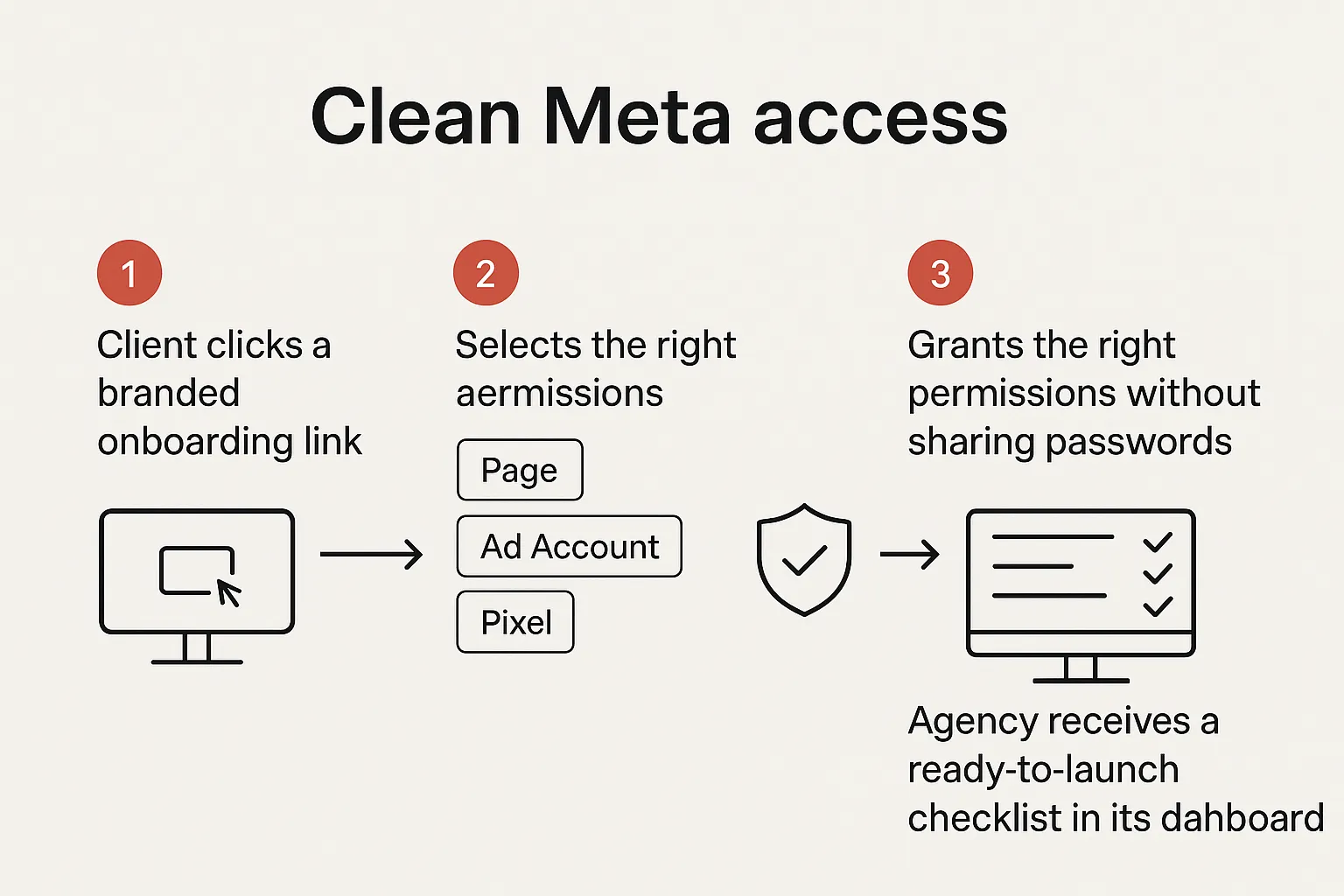
If you prefer, we can send a single branded onboarding link so you can complete all of this in one place.
Thanks, [Your Agency]
Avoid these common pitfalls
- Requesting Page admin when you only need ad permissions
- Owning client assets inside your agency Business Manager, which complicates offboarding
- Using your agency ad account for client billing when the client expects data portability
- Duplicate events from both pixel and Conversions API, which can distort optimization
- Forgetting leads access, which silently blocks CRM sync for Lead Ads
Quarterly access audit, small effort, big payoff
Every quarter, run a 10-minute audit:
- Export a list of partners and people with access to the client’s Business Manager assets
- Remove any access for past vendors or ex-employees
- Confirm 2FA is turned on for all admins
- Review event configurations and domain verification status
This prevents compliance surprises and reduces time-to-launch for new campaigns.
Why process design matters beyond ads
Clients judge you on the quality of your process as much as your media metrics. Consumers and platforms expect frictionless, secure journeys. A useful analogy comes from travel tech, where companies like SimpleVisa simplify travel by handling border crossing administration. The value is not only the underlying capability, it is the clarity and speed of the user experience. Your onboarding flow should feel the same.
How Connexify makes Facebook account access clean by default
Connexify is client onboarding software for smart agencies. Instead of long back-and-forth email threads and screenshots, you send a single, branded link that guides your client through a focused set of steps and permissions.
What agencies use Connexify for:
- One-link onboarding that standardizes what you collect across accounts and teams
- Branded flows that match your agency’s look and feel
- Support for multiple platforms so you can orchestrate Meta, search, analytics, and more in one pass
- Customizable permissions so each service line only requests what it needs
- Webhooks and API to plug your intake directly into your project tools and runbooks
- A user-friendly dashboard and secure data handling, with no installation required
- A 14-day free trial so you can validate the fit without risk
Even if your team follows the clean Meta playbook perfectly, collecting IDs, confirming 2FA, documenting assets, and coordinating across teams is still busywork. Connexify removes the friction and reduces onboarding time from days to seconds.
Ready to see it live, book a quick demo or start your free trial at Connexify.
Frequently Asked Questions
Do I need admin access to the client’s ad account to run campaigns? No. Use the principle of least privilege. Ad account advertiser is enough for building and managing campaigns. Request admin only if you must change billing, account settings, or manage user access.
Is a Business Manager required to work on Facebook Manager Ads? It is strongly recommended. Business Manager centralizes assets, permissions, billing, and security. It also enables partner access so no one shares personal credentials.
What is the difference between requesting access and claiming assets? Requesting access keeps asset ownership with the client, which is best practice. Claiming moves ownership into your Business Manager, which complicates offboarding and is rarely appropriate.
How do we handle Lead Ads access? The client must grant your Business Manager access in Leads Access Manager, otherwise your team cannot view or sync leads. Include this step in your onboarding checklist.
What about Conversions API, is it required? Not strictly required, but highly recommended for better event match quality and resilience when browsers limit client-side tracking. Coordinate implementation to avoid duplicate events.
How often should we review permissions? Quarterly is a good cadence. Audit people, partners, and event configurations, then remove any access that is no longer needed.
Take the friction out of client onboarding for Facebook Manager Ads. Get started now with a single, branded link at Connexify.