Creative Approvals Workflow That Doesn’t Slow Production
02/16/2026

Production rarely slows down because a team cannot make creative. It slows down because the approval system is unclear, overloaded, or disconnected from the tools and access needed to review work quickly.
A creative approvals workflow that stays fast has two jobs:
- Reduce waiting (clear owners, timeboxes, fewer handoffs)
- Reduce rework (better inputs, tighter feedback, fewer subjective loops)
Below is a practical workflow agencies and in-house teams can implement without adding bureaucracy.
Why “approvals” become a production bottleneck
Most approval pain comes from a few predictable failure modes:
Too many approvers, no decider. When everyone can veto, nothing can ship. Feedback conflicts, and the team keeps iterating to satisfy the loudest voice.
Vague feedback and subjective loops. Comments like “make it pop” or “I’m not feeling it” create extra rounds because they do not map to a requirement.
Wrong tool, wrong artifact, wrong moment. Reviewing a compressed screenshot for a landing page, or giving feedback on a concept after layout is already finalized, guarantees churn.
Access friction. Stakeholders cannot open the file, do not have permissions, cannot find the latest version, or are reviewing in email threads with no audit trail.
The fix is not “chase clients harder.” The fix is a workflow where the path to approval is obvious and the cost of reviewing is low.
The principle: approvals should be a system, not a meeting
Fast teams treat approvals like any other operational system:
Define what “approved” means. Approval is not “everyone likes it.” It is “this meets the brief, brand rules, channel specs, and compliance requirements.”
Separate decision quality from decision speed. Speed comes from fewer decision points, clear authority, and timeboxes. Quality comes from better inputs and a structured review.
Design for asynchronous work. A workflow that requires live meetings for every decision will collapse the moment calendars get busy.
Start with two lanes, not one giant workflow
A common mistake is forcing every asset through the same heavy approvals path. Instead, use lanes based on risk.
Lane A: Fast lane (low risk, high volume)
Use this lane for repeatable assets where you already have guardrails, for example organic social posts using approved templates.
Fast lane rules typically include:
- Pre-approved layouts and components
- One approver (brand lead or marketing lead)
- One round of feedback
- Short SLA (same day or next business day)
Lane B: Standard lane (most client work)
Use this lane for ads, landing pages, email campaigns, and anything tied to spend or conversion.
Standard lane rules typically include:
- Clear brief and placement specs required before production starts
- One business approver (the decider) and optional contributors
- Two rounds max (draft, final)
- Explicit checklist for “ready to publish”
Optional Lane C: Regulated lane (legal, claims, privacy)
If you serve healthcare, finance, or regulated B2B, create a separate lane that acknowledges legal review and evidence requirements. Do not pretend it is the same process.
The key is that Lane C exists, is predictable, and is triggered by clear criteria (not vibes).
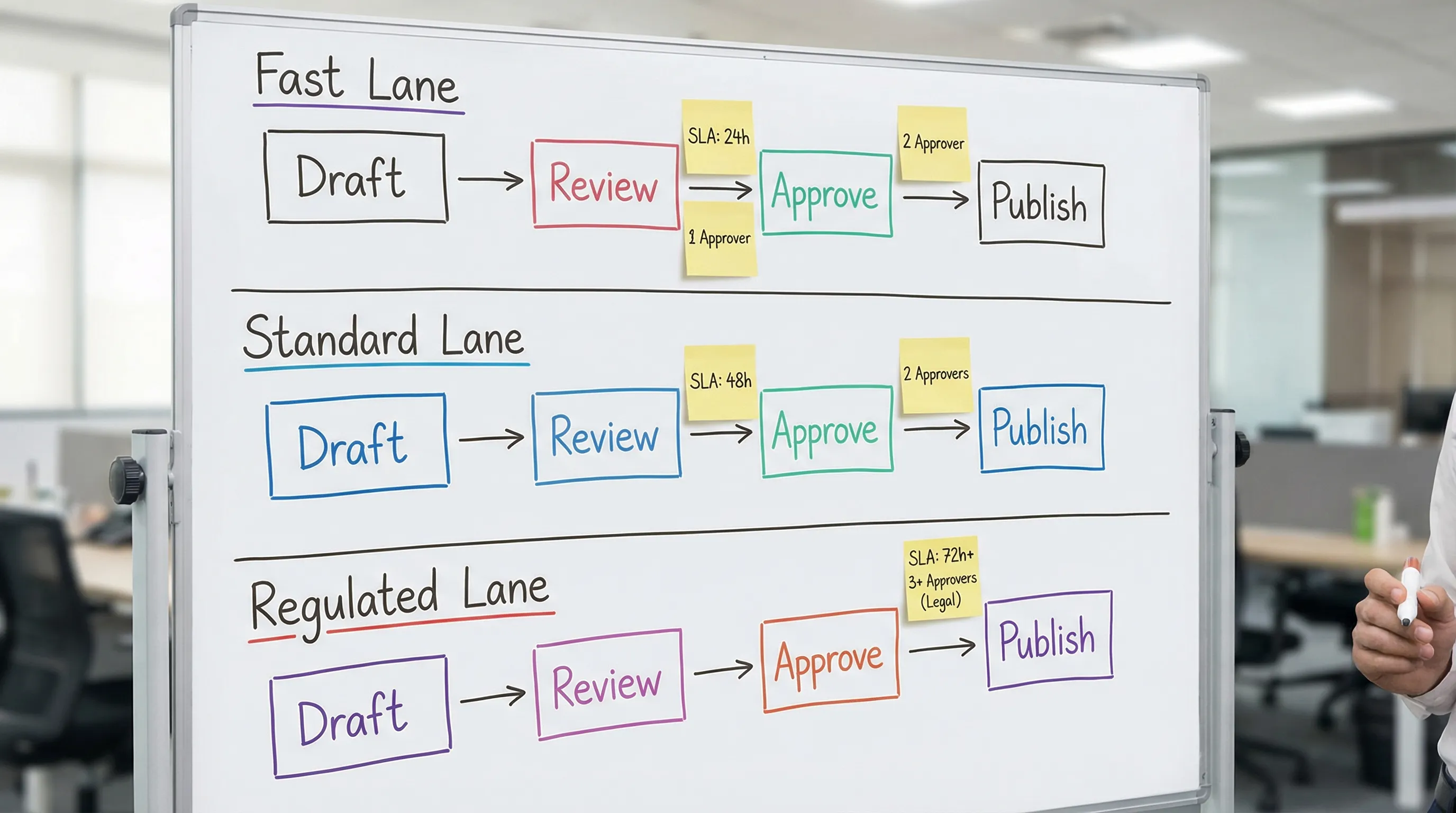
A creative approvals workflow that keeps production moving
This is a proven structure that stays lightweight. You can run it in your project tool of choice, as long as roles and artifacts are clear.
1) Preflight: make “ready for creative” a real gate
Most delays happen because teams start designing before they have the inputs.
Define a Preflight Checklist that must be complete before work begins. Keep it short and enforce it.
Typical preflight items:
- One-page brief (goal, audience, offer, CTA, success metric)
- Channel and placement list (sizes, specs, destination URLs)
- Brand constraints (fonts, colors, do-not-do list)
- Compliance triggers (claims, testimonials, disclosures)
- Who approves, and by when (name the decider)
If preflight is incomplete, the task is not “in production,” it is “blocked on inputs.” That visibility alone prevents a lot of silent schedule drift.
2) Draft production: build with reusable components
Approval speed improves dramatically when stakeholders recognize the building blocks.
Instead of reinventing layouts each time, standardize:
- Templates per channel (paid social, email, landing page hero)
- Pre-approved copy blocks (disclaimer formats, CTA patterns)
- A component library (logos, badges, brand patterns)
This reduces subjective debate and focuses review on what actually changed.
3) Review: one place, one version, structured feedback
Your goal is to prevent review from turning into scattered commentary.
Operational rules that keep review fast:
- One review surface. Comments must live on the artifact (Figma, doc, proofing tool), not email.
- One “latest” link. No attachments, no “final_v7_REALfinal” files.
- Feedback must be classified. Require reviewers to label comments as “must-fix” or “nice-to-have.”
If a team cannot enforce those three rules, the workflow will keep slowing down no matter how good the designers are.
4) Approval: one decider, explicit SLA
Approvals stall when “everyone” needs to respond.
Set a single accountable approver for each asset type. Others can contribute, but they do not block shipping.
Also, set an SLA that is visible. Many teams use a default like “24 business hours for review.” The exact number matters less than the fact that you measure it and enforce it.
A simple policy that prevents endless waiting is auto-approval on silence for Fast lane assets (if you can support it contractually and culturally). If auto-approval is too aggressive, use “escalate to decider after SLA.”
5) QA and publish: the final check that prevents rollbacks
Speed without QA creates rework later.
A lightweight publish checklist prevents the most common, expensive mistakes:
- Correct specs, safe zones, and file formats
- Destination URLs and UTM parameters verified
- Required disclaimers present
- Naming and version logged
- Platform access confirmed (no “can you post this for us?” surprises)
If you want a deeper operational approach to “brief, assets, approvals” as a system, this companion guide is useful: Brand Ad Essentials: Brief, Assets, Approvals.
Roles and SLAs: a simple table you can copy
The fastest way to remove ambiguity is to define ownership per stage.
| Stage | Owner (does the work) | Approver (final yes/no) | Target SLA | Definition of done |
|---|---|---|---|---|
| Preflight | Account lead or PM | Client decider | 1 business day | Brief complete, specs confirmed, approver named |
| Draft | Creative | Internal lead (optional) | 1 to 3 business days | Draft link shared, version tagged |
| Review | Client contributors | Client decider | 24 business hours | Feedback labeled must-fix vs nice-to-have |
| Final approval | Creative + PM | Client decider | 24 business hours | “Approved” recorded on the artifact |
| QA + publish | Channel owner | Internal lead | Same day | Specs, links, tracking, access verified |
Keep the table small, then enforce it consistently.
The hidden speed lever: access and permissions
Teams often focus on the “approval steps” but ignore the prerequisites that make review possible.
Approval slows down when:
- The client cannot access the design file
- The stakeholder is reviewing from a personal account with no permissions
- The approver is not known until the first deadline
- Platform access is missing at publish time
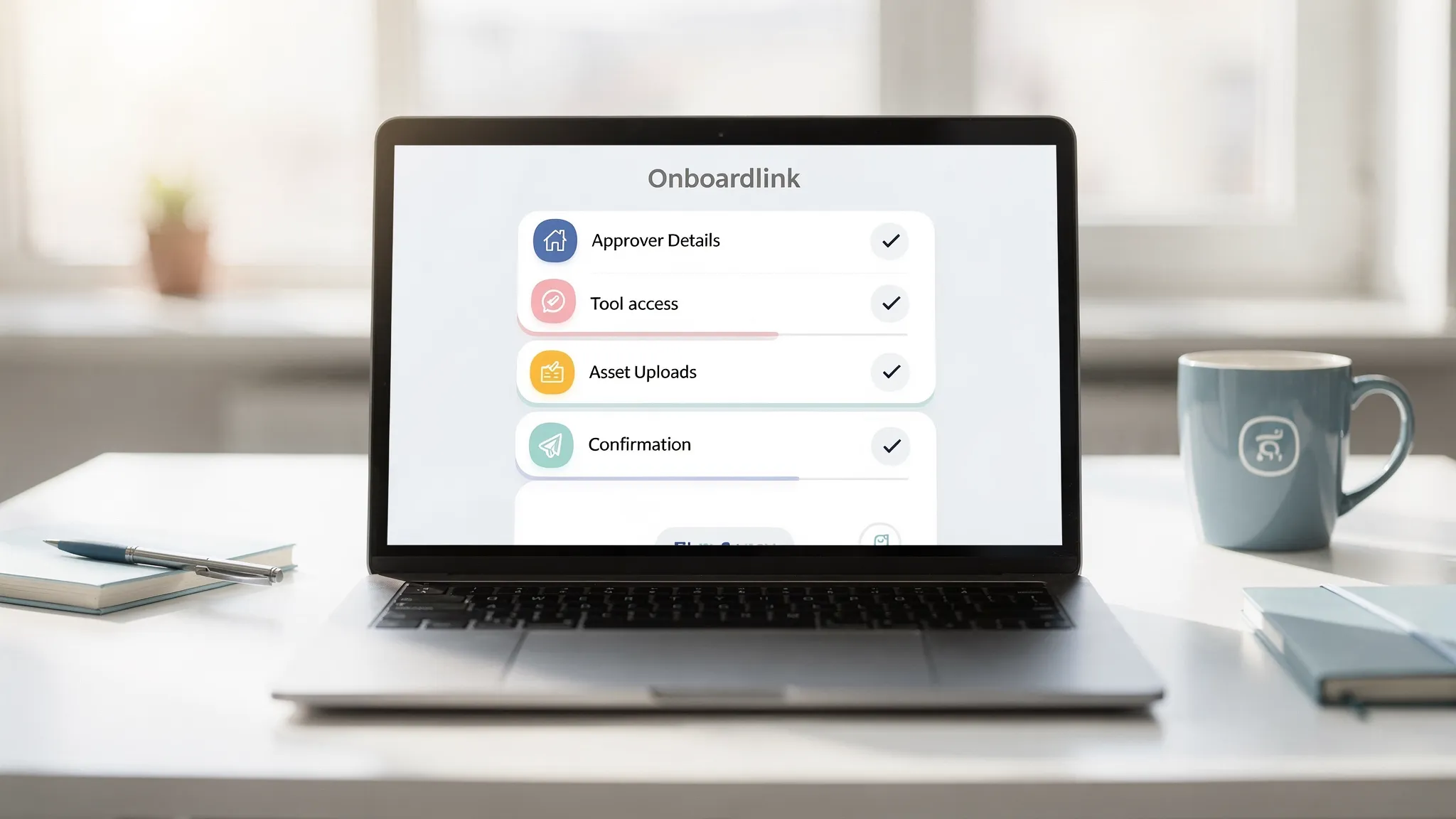
This is where client onboarding and approvals intersect. If you capture approver identity, tool access, and permissions as part of onboarding, approvals stop being a scramble.
For example, Connexify is designed to streamline onboarding for agencies and service providers using a single branded link that can request and set up secure access across platforms, with customizable permissions and optional white-labeling. That same onboarding flow can include:
- The named approver and backup approver
- The tools where reviews happen (and the right access to them)
- The destinations where creative will be published (and the right permissions)
If your approvals slow down because stakeholders cannot get into the right tools, solving access upfront will often save more time than changing your creative process.
For more on productizing onboarding as an operational lever, see: Client onboarding software: how to cut setup time to minutes.
How to reduce rounds without reducing quality
If you want a workflow that stays fast at scale, focus on reducing rounds.
Use “decision reviews,” not “taste reviews”
A good review question is binary and tied to requirements:
- “Does this match the offer and CTA from the brief?”
- “Is the claim substantiated, or should we rephrase?”
- “Is the brand voice correct for this audience?”
A bad review question is open-ended:
- “Any thoughts?”
Teach clients and internal stakeholders what kind of feedback you need. It is one of the highest ROI training moments an agency can create.
Lock constraints early
If brand constraints, placement specs, or compliance requirements can change midstream, you will pay for it in rework.
Make these constraints explicit in preflight, then treat changes as change requests (even if lightweight). Speed requires stability.
Batch approvals for high-volume programs
If you produce lots of similar assets (weekly paid social variations, seasonal promos), consider batching approvals into a single scheduled window. That reduces constant context switching for both sides.
Metrics that tell you whether approvals are actually improving
You do not need a complex analytics setup to manage approvals. Start with four metrics:
- Approval lead time: time from “sent for review” to “approved”
- Rounds per asset: number of review loops before approval
- Rework rate: percentage of assets that require major redesign after review
- On-time publish rate: did it ship when planned
When these numbers improve, production gets faster without heroics.
Frequently Asked Questions
What is the best creative approvals workflow for marketing agencies? The best workflow is simple and enforceable: preflight gate, one review surface, one decider, explicit SLAs, and a QA checklist. Add separate lanes for low-risk versus regulated work.
How many approval rounds should we allow? For most agency production, two rounds is a practical cap (draft, final). More rounds usually signal unclear briefs, too many approvers, or subjective feedback that is not tied to requirements.
How do you speed up client approvals without annoying the client? Reduce the client’s effort: provide one link to the latest version, ask structured questions, name a single decider, and agree on a clear SLA. Also make access and permissions effortless so review is frictionless.
What tools do we need for a fast approvals process? You mainly need a single place for review comments, a project system to track status and SLAs, and a reliable way to set up access. If access setup is slow, a dedicated onboarding layer can prevent recurring delays.
Make approvals fast by fixing access first
If your approval workflow is solid but production still slows down, the bottleneck is often access, permissions, and tool sprawl, not creativity.
Connexify helps agencies streamline client onboarding with one branded link that sets up secure, multi-platform access with customizable permissions, plus API and webhook integrations for automation. If you want to reduce approval delays caused by missing access and scattered handoffs, explore Connexify at connexify.io and book a demo, or start with the 14-day free trial to test a faster onboarding and approval foundation.