Social Media Client Onboarding Questionnaire: Free Template
01/02/2026
Agencies win or lose trust in the first week. A clear, fast social media client onboarding questionnaire helps you collect the right information once, map it to permissions, and move from signature to first impression without back‑and‑forth. Below you will find a free, copy‑ready template you can paste into your doc tool or form builder, plus guidance to roll it out on live calls and convert it into a one‑link, branded onboarding experience.
What a high‑converting onboarding questionnaire does
A good questionnaire is more than a list of questions. It should:
- Focus on decisions that unblock work, not trivia
- Ask for identifiers that map directly to platform access, for example Business IDs and Ad Account IDs
- Separate required from optional fields to reduce cognitive load
- Use least‑privilege language so clients feel safe granting access
- Set expectations on security, approvals, and first deliverables
Clients compare every workflow to the fastest tools they use daily. Power users value a clean, blazing‑fast interface that shortens the path to action, and your intake should feel the same.
Free questionnaire template, copy and use
Use the Lite version for discovery and the Full version when you are moving to live access and launch. Everything below is agency tested, least‑privilege oriented, and designed to minimize rework.
Lite version, 12‑minute form
Copy the block into your doc or form builder.
SOCIAL MEDIA CLIENT ONBOARDING, LITE

Company details
- Legal business name [REQUIRED]: __________________________
- Public brand name: ______________________________________
- Website [REQUIRED]: _____________________________________
- Business location and time zone: _________________________

Primary contacts
- Marketing owner [REQUIRED]: Name, Email, Phone
- Approver for budgets and ads [REQUIRED]: Name, Email
- Technical contact for access and tracking: Name, Email

Objectives and scope
- Primary objective for the next 90 days [REQUIRED]: ________
- Core channels in scope [REQUIRED]: Meta, Instagram, TikTok, LinkedIn, Pinterest, YouTube, X, Snapchat (select)
- Monthly media budget range: ______________________________

Brand and creative readiness
- Brand guidelines link: ___________________________________
- Past top‑performing creatives link: ______________________
- Ad disallowed topics or brand guardrails: _________________

Access snapshot
- Do you already have Business Manager or equivalent per platform [REQUIRED]: Yes or No per channel
- Who currently manages ads: In‑house, prior agency, none

Measurement
- Primary conversion event [REQUIRED]: ______________________
- Analytics platform: GA4, Adobe, other ____________________

Security and consent
- Two‑factor enabled on business identities [REQUIRED]: Yes or No
- I confirm no passwords will be shared, platform invites only [REQUIRED]: Yes

Approval cadence
- Preferred weekly meeting slot: ___________________________
- Decision turn‑around target, hours: ______________________
Full version, modular
Use these blocks as sections in your form. Mark your required fields clearly.
SECTION 1, COMPANY AND CONTACTS
- Legal business name [REQUIRED]: __________________________
- Registered domain(s) in use [REQUIRED]: __________________
- Doing business as: ______________________________________
- Billing entity and VAT or EIN: ___________________________
- Time zone and holidays that affect launch: _______________

Primary contacts
- Marketing lead [REQUIRED]: Name, Email, Phone
- Executive sponsor: Name, Email
- Budget approver [REQUIRED]: Name, Email
- Legal or compliance reviewer: Name, Email
- Technical contact, tracking and DNS [REQUIRED]: Name, Email

Communication
- Preferred channel: Email, Slack, Teams, other ____________
- Emergency channel for ads down: __________________________
- Weekly reporting recipients [REQUIRED]: __________________
SECTION 2, SCOPE, GOALS, AND BENCHMARKS
- Primary business objective for 90 days [REQUIRED]: _______
- Secondary objectives: ___________________________________
- Target audience summary [REQUIRED]: ______________________
- Key markets and languages [REQUIRED]: ____________________

Performance context
- Last 30 days media spend by channel: _____________________
- Last 30 days top KPIs and values: ________________________
- Hard constraints, legal, brand, inventory: _______________

Decision thresholds
- Max CPA or CPM target at start: __________________________
- Creative testing budget share, percent: __________________
- Daily change window allowed, hours: ______________________
SECTION 3, PLATFORM ACCOUNTS AND IDS
Please provide IDs or URLs. If an asset does not exist, write "create new".

Meta, Facebook and Instagram
- Business Manager ID [REQUIRED]: __________________________
- Facebook Page URL [REQUIRED]: ____________________________
- Ad Account ID [REQUIRED]: ________________________________
- Pixel or CAPI source name: ______________________________
- Instagram handle [REQUIRED]: @___________________________

TikTok
- Business Center ID [REQUIRED]: ___________________________
- Ad Account ID [REQUIRED]: ________________________________
- Pixel or Events API source: ______________________________

LinkedIn
- Company Page URL [REQUIRED]: _____________________________
- Ad Account ID [REQUIRED]: ________________________________
- Insight Tag status, installed or not: ____________________

Pinterest
- Business account URL: ___________________________________
- Ad Account ID: __________________________________________
- Tag status, installed or not: ___________________________

YouTube and Google
- Channel URL: ____________________________________________
- Brand Account owner email: ______________________________

X, formerly Twitter, and Snapchat
- X handle URL: ___________________________________________
- Snapchat Business account name: _________________________
SECTION 4, PERMISSIONS AND GOVERNANCE
- Confirm least‑privilege, we request Advertiser or equivalent unless Admin is required for setup [REQUIRED]: Yes
- Who must approve new ad accounts or billing profiles [REQUIRED]: __________________
- Who must approve brand assets and public replies [REQUIRED]: ______________________
- Required legal text or disclaimers for ads: ______________
- Industry‑specific compliance, HIPAA, FINRA, other: _______

Security
- Two‑factor on all business identities [REQUIRED]: Yes or No
- Single sign‑on available: Yes or No, provider: ___________
- Offboarding contact for later removals: _________________
SECTION 5, MEASUREMENT AND DATA
- Primary conversion event and URL [REQUIRED]: ______________
- Secondary events to track: ______________________________
- CMS or storefront platform: Shopify, WordPress, custom ___
- Consent management platform in use: ______________________
- Server‑side events available, for example CAPI, Events API: Yes or No
- Analytics tooling [REQUIRED]: GA4, Adobe, Mixpanel, other
- Reporting frequency and channels [REQUIRED]: _____________
- Access we need to read analytics, for example viewer role: ______
SECTION 6, BRAND AND CREATIVE
- Brand guidelines link [REQUIRED]: ________________________
- Logo and brand kit link: ________________________________
- Product catalog or feed link if applicable: ______________
- Creative library link, Drive, DAM, other: ________________
- Voice tone and off‑limits phrases [REQUIRED]: ____________
- Approver for ads and captions [REQUIRED]: ________________
- UGC or creator usage rules and rights windows: ___________
SECTION 7, OPERATIONS, TIMELINE, AND APPROVALS
- Target go‑live date [REQUIRED]: __________________________
- Blackout dates or inventory constraints: _________________
- Weekly meeting slot [REQUIRED]: __________________________
- Decision SLAs, creative 48h, budget 24h, other: __________
- Invoicing method and cadence: ____________________________
- PO or vendor setup needed: Yes or No
- Final consent to proceed once access is verified [REQUIRED]: Yes
Platform asset quick reference
Use this table to double check that your questionnaire captures the minimum identifiers required to request partner access later. Treat rows as a checklist, then run your access flow. For detailed, platform‑specific guidance, see our Facebook Business Manager access checklist and our TikTok ads agency roadmap.
| Platform | Primary IDs to capture | Typical assets to request access to |
|---|---|---|
| Meta, Facebook and Instagram | Business Manager ID, Page URL, Ad Account ID, Pixel name | Page, Ad Account, Pixel or CAPI source, Instagram account |
| TikTok | Business Center ID, Ad Account ID | Ad Account, Pixel or Events source |
| Company Page URL, Ad Account ID | Company Page, Ad Account, Insight Tag data | |
| Business URL, Ad Account ID | Ad Account, Tag data | |
| YouTube | Channel URL, Brand Account owner email | Channel for content permissions |
| X and Snapchat | Handle URL, Business account name | Ad account or business account as applicable |
How to roll it out on a live onboarding call
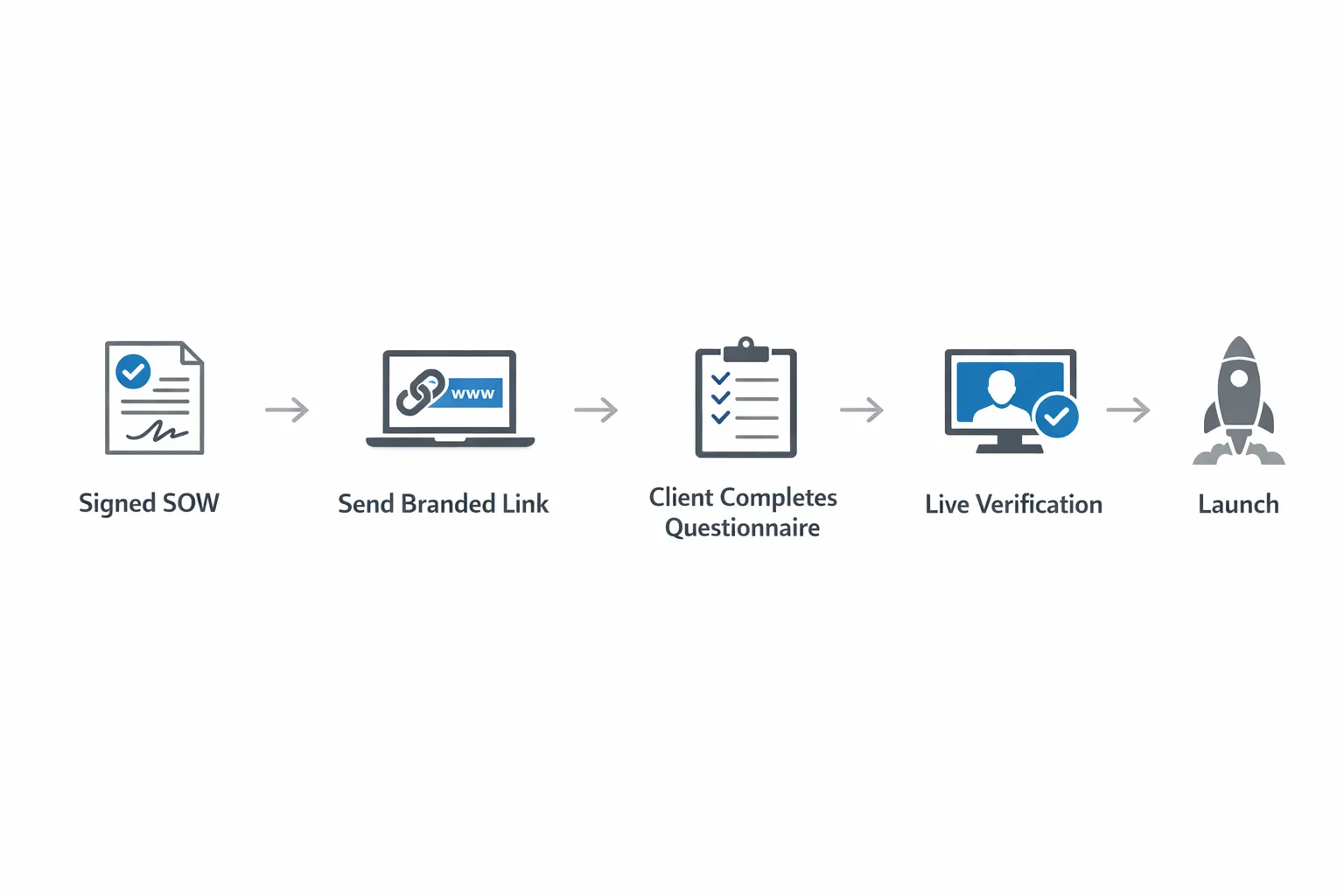
- Send the Lite form immediately after signature with a clear deadline and an appointment link for a 30 to 45 minute verification call.
- During the call, use screen share to verify the IDs provided match the client’s business accounts, then request least‑privilege partner access per platform.
- Close the call by aligning on first deliverables, creative needs, and a date for the first performance readout.
If your clients are used to professional trading or research software, they expect low friction and clear visual context. That is why traders adopt a clean, blazing‑fast interface to scan multiple options chains and act with confidence, and the same clarity and speed principles apply to your onboarding experience.
Governance guardrails to embed in the form
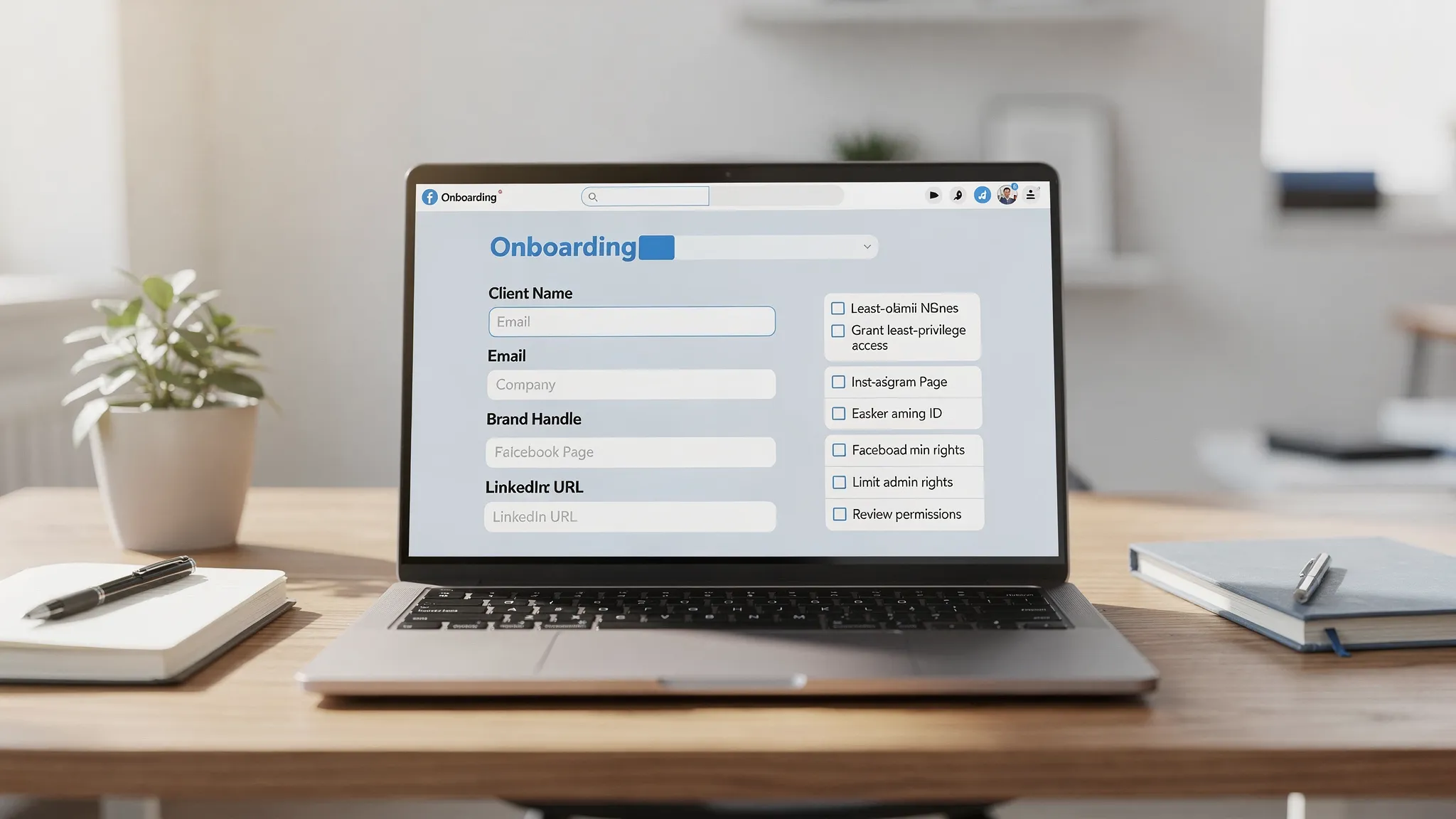
- Do not collect passwords, always use platform invites and partner access
- Ask for 2FA confirmation on any business identity that will grant access
- Request only the permissions needed to execute scope, escalate only if blocked
- Record who can approve budgets, brand assets, and public replies
- Capture an offboarding contact on day one, removals should be as easy as invites
Recommended onboarding KPIs
Set targets so your team knows what great looks like.
| KPI | Definition | Recommended target |
|---|---|---|
| Time to completed questionnaire | Signature to completed Lite form | Under 24 hours |
| Time to verified access | Live call to verified partner access across in‑scope platforms | Under 48 hours |
| First impression timeline | Signature to first paid impression or scheduled post | Under 3 business days |
| Missing ID rate | Submissions missing a required platform ID | Under 10 percent |
Turn this static template into a one‑link, branded flow
Connexify makes this questionnaire feel effortless for clients and operationally precise for your team.
- One‑link client onboarding, send a single branded link that guides clients through the exact sequence you need
- Branded onboarding experience, match your identity end to end
- Supports multiple platforms, capture the right IDs and request the right permissions across social channels
- Customizable permissions, request least‑privilege by package, escalate only if needed
- White‑label options, deliver a fully branded experience
- API and webhook integrations, sync submissions and status to your PM, CRM, and reporting tools
- User‑friendly dashboard, track progress and unblock quickly
- Secure data handling, no passwords, auditable actions
- No installation required, invite and go
- 14‑day free trial, reduce onboarding time from days to seconds before you commit
Ready to operationalize the template in minutes, start a 14‑day free trial or book a demo to see Connexify compress onboarding and governance into a single, client‑friendly link.
Related playbooks
- Build your full workflow with our Social Media Agency Onboarding step‑by‑step playbook
- Meta specifics in our Facebook Business Advertising onboarding guide
- See how leading teams standardize access in our How digital marketing agencies streamline client onboarding article