Social Media Agency Onboarding: A Step-by-Step Playbook
12/22/2025

If you run a social media agency, onboarding is where client trust, timelines, and ROI are won or lost. This step-by-step playbook shows you how to cut setup time from days to minutes, reduce access errors, and launch campaigns with confidence. It blends process and governance with the practical checklists your team needs today, so your next client handoff feels seamless instead of chaotic.
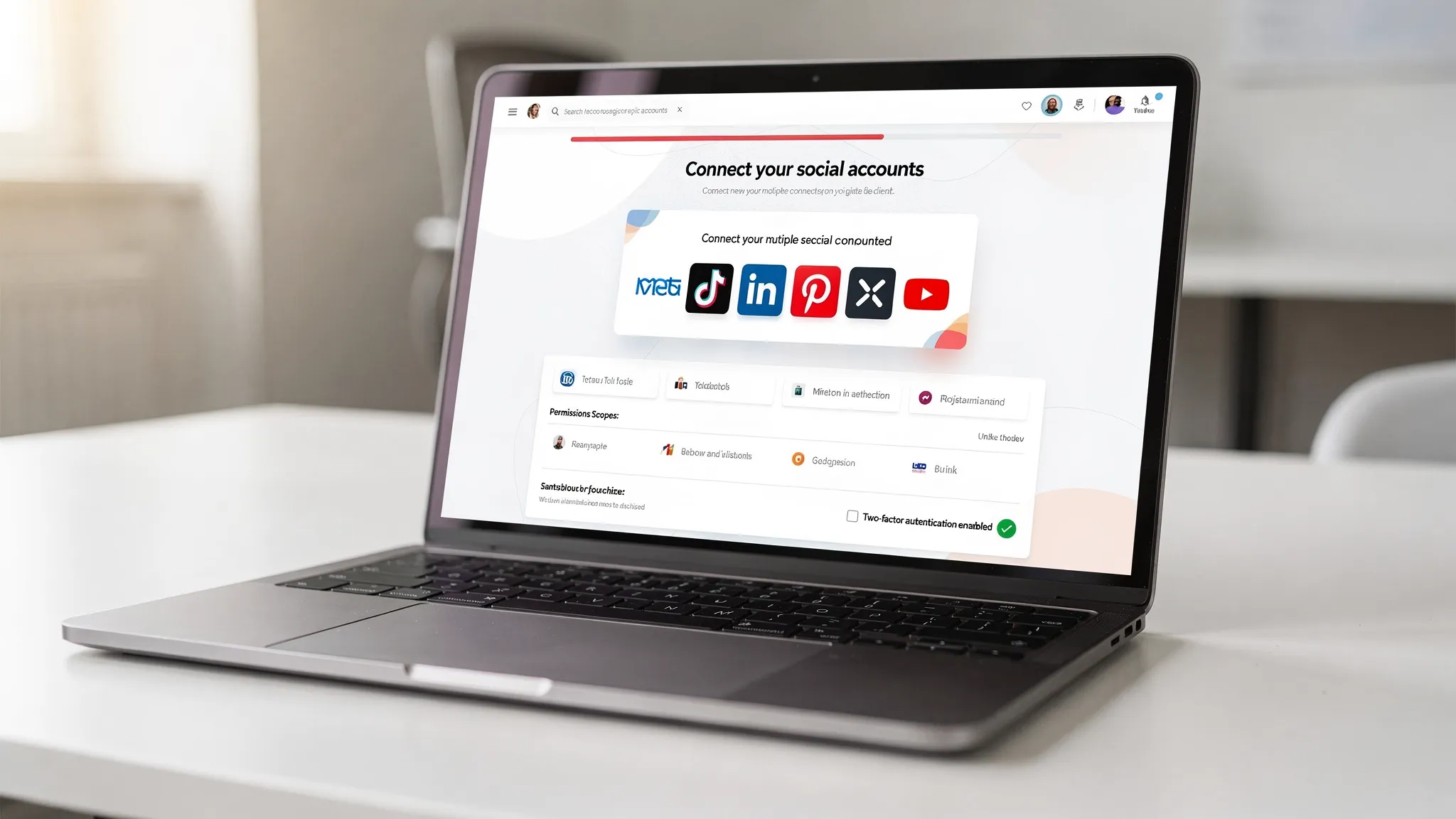
What success looks like for social media agency onboarding
Before the playbook, define outcomes and SLAs that set the tone for execution and client confidence.
- Time to verified access, under 24 to 48 hours for all in-scope platforms
- Time to first live post or ad, under 72 hours for at least one channel
- Error rate on permissions, under 2 percent of clients needing a second request
- Security baseline, 100 percent of users named, 2FA enabled, least privilege
- Client visibility, a branded experience and a single link that guides the journey
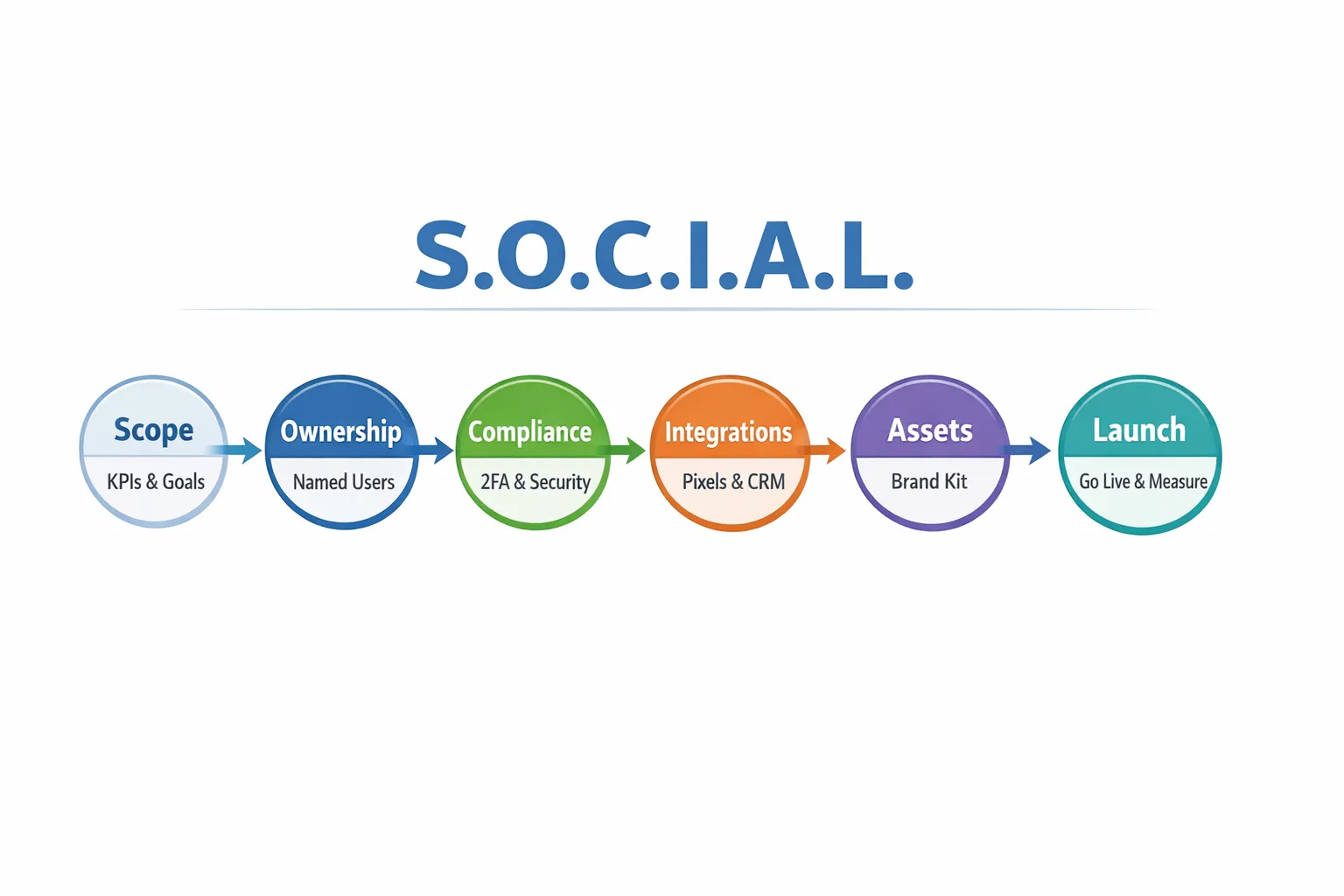
The S.O.C.I.A.L. Onboarding Playbook
This framework standardizes your intake and accelerates time to value without sacrificing security.
Step 1, Scope and success criteria
Confirm goals, channels, and constraints in writing before you collect a single permission.
- Objectives, what outcomes the client expects in the first 30, 60, and 90 days
- Channels in scope, organic, paid, or both, and which platforms are go, hold, or out
- Measurement plan, conversion definitions, UTMs, primary events to track
- Budget and approval cadence, spend guardrails and who signs off on creative and campaigns
- Content operating model, who produces assets, required formats, review SLAs
- Risk and compliance items, industries with disclosures or ad category restrictions
Why it matters, tight scoping prevents mid-onboarding rework and reduces permission churn later.
How Connexify helps, send a single, branded link that captures scope notes alongside access, then routes approved details to your PM or CRM through API and webhook integrations.
Step 2, Ownership and access
Adopt a client-owns-assets model with partner or user access for your agency. This protects the client’s business and limits your liability while keeping your workflows fast.
- Use named logins, never share personal passwords, and require 2FA
- Request only the capabilities your scope requires, avoid global admins unless necessary
- Capture asset IDs and confirm which business entity owns what
- Verify each permission live, do not wait until after the kickoff
Below is a quick reference to align teams on the minimum capabilities typically required. Exact role names differ by platform, so treat this as a principle-based guide.
| Platform | Assets to connect | Minimum capability for most engagements | Avoid requesting by default |
|---|---|---|---|
| Meta (Facebook and Instagram) | Business entity, Page, Ad Account, Pixel or Conversions API, Catalog if applicable | Ability to create and manage campaigns, read page insights, view pixel events | Business level admin, billing admin, user management |
| TikTok | Business Center or Ads account, Pixel or Events API | Create and manage campaigns, view pixel data | Ownership transfer, full admin on Business Center |
| Campaign account, Company Page permissions as needed | Campaign management and reporting, ability to sponsor page content | Super admin on the Company Page | |
| Business account, Ad account, Tag, Catalog if applicable | Campaign management and analytics | Account ownership or billing admin | |
| X (Twitter) | Ads account access, Website tag if used | Campaign management and reporting | Global admin or account ownership |
| YouTube and Google Ads if used for social video | Channel permissions for creative access, Google Ads account for distribution | Campaign management and view analytics | Channel ownership transfer |
How Connexify helps, your client clicks one branded link, authenticates each platform, selects the scoped permissions you pre-configured, and you track completion in a user-friendly dashboard. No installation required.
Step 3, Compliance and security
Bake security into onboarding, not after. This protects your client and your reputation.
- Two-factor authentication on all business accounts, enforced before access is granted
- Named user accounts, ability to revoke on offboarding
- Least privilege by service package, elevate only when a task requires it
- Data handling, sensitive files and credentials flow through secure intake, not email
- Legal and policy, content rights, UGC releases, industry disclosures, and brand safety rules
How Connexify helps, one-link intake centralizes approvals, scopes, and permission logs, so you can audit who received what and when.
Step 4, Integrations and instrumentation
Install measurement and collaboration foundations during onboarding, or you will relive the same blockers during optimization.
- Tracking, UTMs, pixels, events APIs, and server side signals where appropriate
- CRM and lead routing, ensure social leads land in the right pipeline with correct fields
- Social inbox and community tooling, define response SLAs and escalation paths
- Creative repositories, shared folders with naming conventions and version control
- Reporting layer, dashboards scoped to the first 30 days so you can prove early value
How Connexify helps, push structured onboarding data to your PM tool or CRM using webhooks so tasks auto-create when a client completes each step.
Step 5, Assets and approvals
Collect everything that enables you to post and promote without waiting on email threads.
- Brand kit, logos, colors, fonts, voice and tone notes, do and do not examples
- Content pillars and constraints, what is in or out, sensitive topics, and must-avoid claims
- Creative specs by channel, short video, image, carousels, story formats, and copy limits
- Legal approvals, disclaimer language, product or pricing sensitivities
- Community rules, moderation policy and blocked terms
How Connexify helps, offer a branded, white label onboarding experience where clients upload assets and approve policies inside the same flow.
Step 6, Launch and learn
Do not wait for perfection. Ship the first pieces, validate tracking, then scale.
- Activate one ad set or publish one post on at least one platform within 72 hours
- Validate pixels and events, confirm attribution tags on first traffic
- Share a day 3 status update, wins, blockers, and next steps
- Establish your weekly communication cadence with a short agenda and clear owners
How Connexify helps, the dashboard confirms all required access is in place, so your launch checklist is a short, focused sprint.
A 48 hour launch plan your team can reuse
Day 1 morning, preflight. Confirm scope, review the onboarding portal for any missing permissions, and ensure 2FA status looks good. Create a minimalist reporting view tied to the top one or two KPIs.
Day 1 afternoon, creative out. Publish the first organic post or launch a low budget test campaign on the primary platform. Verify tracking, events, and UTMs are visible in analytics. Document anything that needs client input and send a concise list.
Day 2 morning, scale and stabilize. Expand to the second platform or the next audience cohort. QA all links and load times. Review moderation rules and responses for common questions.
Day 2 afternoon, communicate. Send a two paragraph update that shows progress, confirms that governance is in place, and previews the next 7 days.
Messaging your client, copy you can adapt
Kickoff confirmation, “Your onboarding is live. We have verified secure access to the platforms in scope and published the first test asset. Tracking is confirmed and we are monitoring performance. Below are the next steps and approvals we need to keep momentum.”
Gentle nudge, “Quick reminder, we are waiting on two approvals, the community policy and the LinkedIn campaign seat. Once those are in, we will push your first creative set to LinkedIn today. If it helps, we can hop on a 10 minute call to complete it together.”
Vertical nuances you should consider
Regulated and sensitive categories, finance, health, housing, political, and alcohol require extra disclosures and stricter approval flows. Build those checkpoints into your onboarding form and request only the access needed to operate within the rules.
Multi location and franchise models, plan for separate ad accounts or location level budgets and reporting. Clarify what is controlled centrally versus locally before requesting platform permissions.
International and multilingual, capture languages, regional assets, and legal requirements per market. Avoid assuming a single business entity owns all assets across regions.
Travel and tourism, community building and partner campaigns are core. For an industry specific perspective, this article explains how social channels can boost a travel agency, including visibility, retention, and influencer collaboration ideas that translate well to onboarding content plans.
Governance and offboarding, protect both sides
- Quarterly access audits, verify named users and revoke stale access
- Documented offboarding, remove platform permissions promptly and archive creative and data per contract
- Incident response plan, define who to contact and what to include if accounts are flagged or disabled
- Billing and spend guardrails, separate billing roles from campaign management where possible
Your onboarding runbook, at a glance
Use this summary to align teams on deliverables, owners, and SLAs.
| Step | Deliverable | Primary owner | SLA |
|---|---|---|---|
| Scope | Written scope with KPIs and channels | Account lead | Day 0 |
| Ownership | Named users, 2FA, least privilege set | Client with agency guidance | Day 1 |
| Compliance | Signed policies, content rights, data rules | Client legal or marketing ops | Day 1 |
| Integrations | Pixels, UTMs, CRM routing, reporting view | Media and analytics | Day 1 to 2 |
| Assets | Brand kit and first creative set approved | Client creative lead | Day 1 to 2 |
| Launch | First post or ad live, tracking verified | Media or social manager | By hour 72 |
Metrics to manage your onboarding program
- Completion rate within 48 hours, goal 80 percent or better for standard packages
- Time to first impression or post, median under 72 hours
- Rework rate on permissions, under 2 percent
- Audit pass rate, 100 percent of new clients meet 2FA and least privilege
- Client satisfaction after onboarding, CSAT 4.5 out of 5 or higher
Where a dedicated onboarding layer fits
You can patch together emails, PDFs, and platform specific instructions, or you can give clients a single branded link that handles permissions, asset uploads, approvals, and live verification in one place. That is the difference between manual onboarding and a repeatable system.
Connexify centralizes your onboarding flow, it provides branded one link client onboarding, supports multiple platforms in one experience, lets you pre configure customizable permissions, and offers white label options if you want everything client facing on your brand. You get a user friendly dashboard for status and verification, secure data handling, API and webhook integrations to your PM and CRM, no installation required, plus a 14 day free trial so you can test it on your next client.
Frequently asked questions
What should a social media onboarding form include? Scope and goals, named contacts and approvals, platform access by role, tracking preferences, brand assets, community and escalation rules, and any legal or compliance constraints.
How long should onboarding take for a standard engagement? With a clear scope and the right tooling, you should reach verified access within 24 to 48 hours and ship a first post or ad within 72 hours.
Which permissions do agencies actually need? Request the minimum capability to deliver the scoped work, usually campaign creation and reporting plus pixel or events visibility. Avoid requesting business wide admin or billing unless your contract requires it.
How do we handle clients who want to share passwords? Do not accept shared passwords. Ask for named user access with 2FA. This is more secure for the client and safer for your agency.
What if the client is stuck inside Meta or another platform’s interface? Offer to complete access live on a short call, and provide a one link flow that guides them step by step. Keep a simple checklist that verifies each asset after the call.
How do we prove onboarding value to clients who only care about results? Publish a day 3 status update with evidence, verified access list, tracking confirmed, first impression or post live, and the plan for the next seven days. Tie each step to their KPIs.
Launch faster, prove value sooner
Your team does not need more email threads or screenshots. You need a branded, secure path that gets clients from yes to live in hours. See how a one link onboarding experience can compress your setup and protect your governance. Start your 14 day free trial or book a short demo at Connexify, then run this playbook on your next client and measure the lift in speed, satisfaction, and retention.