Website and Digital Marketing: One Launch Checklist
02/06/2026

A website launch is rarely “just a website launch.” The minute you publish new pages, you affect attribution, ad performance, SEO, lead routing, sales follow-up, and client trust.
That’s why the fastest teams treat website and digital marketing as one integrated release with clear owners, verification gates, and a single definition of done.
Below is one checklist you can reuse for new builds, redesigns, migrations, and “we’re launching campaigns next week” fire drills.
Who this checklist is for (and how to use it)
This is written for agencies and service providers shipping a client’s website plus acquisition (paid, SEO, email, social). It also works for in-house teams coordinating dev, marketing, and ops.
Use it as a go-live gate:
- If a section is not verified, you are not launched.
- If ownership is unclear, you are not launched.
- If measurement is not proven with a test conversion, you are not launched.
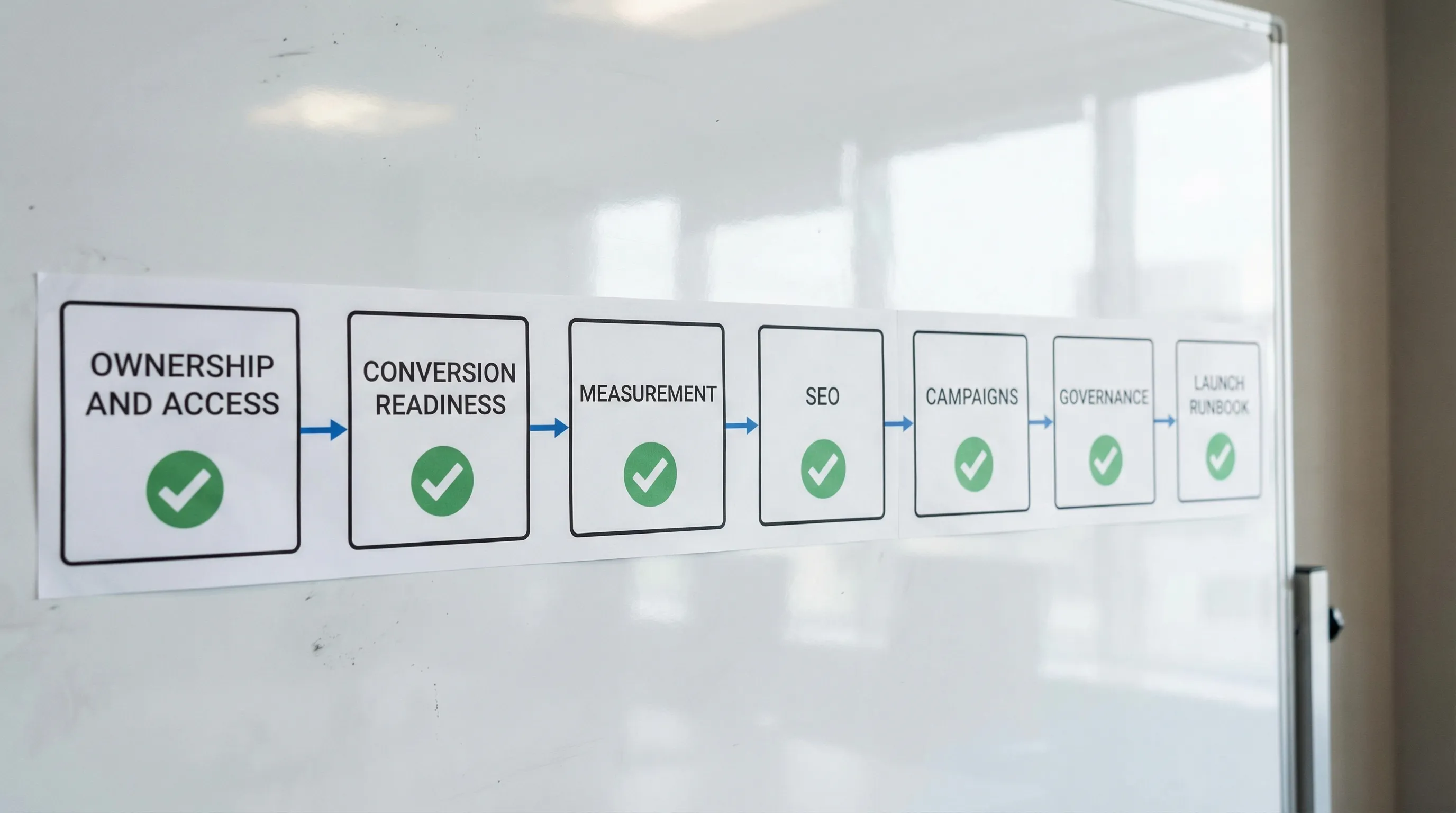
The one launch checklist (7 gates)
| Gate | What “pass” looks like | Primary owner | Most common failure |
|---|---|---|---|
| 1. Ownership + access | Every system has a named admin and the team can log in with least-privilege roles | PM or Ops lead | Waiting on invites, sharing passwords, wrong accounts |
| 2. Website conversion readiness | Pages match the offer, forms work end-to-end, mobile UX is clean | Web lead | Beautiful site, unclear CTA, broken forms |
| 3. Measurement readiness | GA4 (or equivalent) receives events, ad platforms receive conversions, UTMs are consistent | Analyst or Growth lead | “We’ll fix tracking after launch” |
| 4. SEO + indexability | Robots, sitemap, canonicals, redirects, and Search Console checks are clean | SEO lead | Traffic drop from bad redirects or blocked indexing |
| 5. Campaign readiness | Landing pages, creative, targeting, budgets, and QA checks are complete | Paid lead | Ads driving to the wrong page, no conversion signal |
| 6. Governance + security | Named users, 2FA, permission reviews, and offboarding plan exist | Ops or Security | Over-permissioned accounts and messy access |
| 7. Launch day runbook | Timebox, rollback plan, smoke tests, and 72-hour monitoring are scheduled | PM | “Launch” equals “publish,” then chaos |
Gate 1: Ownership + access (stop losing days to “can you resend the invite?”)
If you only fix one thing, fix access. Most launch delays are not caused by strategy, they’re caused by missing permissions across a dozen platforms.
Pass criteria (practical): the delivery team can access what they need without shared passwords, and the client can see exactly what was granted.
What to verify:
- Domain registrar and DNS access (who can change records?)
- Hosting and CMS admin access (who can publish or roll back?)
- Analytics and tag manager access (who can configure events?)
- Ad accounts and pixels/conversion endpoints access (who can launch and measure?)
- CRM and lead routing access (who can ensure leads go somewhere real?)
- A single source of truth for IDs, logins, and decision-makers
If you want this to be repeatable, you need a standardized way to request, grant, and confirm access.
Connexify is built for exactly this moment: one branded onboarding link that lets clients securely connect accounts across platforms with customizable permissions, while your team tracks completion in a dashboard. It’s designed to cut onboarding from days to seconds, without the usual manual back-and-forth.
Related reading: Internet Marketing: The Modern Client Onboarding Guide and Marketing Agency Digital Stack: What You Need.
Gate 2: Website conversion readiness (make the site usable before you make it “clever”)
Digital marketing cannot “fix” a confusing website. Before you spend money on traffic, confirm the site can convert the traffic you already have.
Pass criteria: a stranger can land on the site, understand the offer in seconds, complete the primary conversion, and receive the right follow-up.
Conversion readiness checks that matter
Start with the highest-leverage path (usually homepage or a primary landing page, plus one conversion flow):
- Primary CTA is obvious and repeated (top, mid, bottom)
- Forms work end-to-end (including validation, thank-you page, notifications)
- Lead routing is real (who receives it, how fast, in what tool)
- Mobile experience is not an afterthought (tap targets, speed, sticky headers)
- Page titles, headers, and above-the-fold copy match the campaign promise
If you’re redesigning or migrating, avoid “launching into a blank.” Keep one high-performing conversion path live while you iterate.
If you’re building a marketing site for 2026 expectations (trust pages, process, proof, conversions), this complements: Digital Marketing Website: Must-Have Pages in 2026.
Gate 3: Measurement readiness (prove tracking with a test conversion)
Measurement is not “installed.” Measurement is verified.
Pass criteria: you can trigger a test conversion and confirm it appears in analytics and the relevant ad platforms, with correct attribution fields (at least source/medium/campaign).
A minimal measurement setup (that still works)
You do not need a perfect taxonomy to launch, but you do need a reliable signal. A practical minimum:
- Analytics property access for the right people
- Tag management access (or documented implementation path)
- Defined primary conversions (one to start)
- UTM standard that everyone follows
- A written “definition of done” for tracking (what exactly must be visible where)
For SEO and site launches, Google’s documentation is worth bookmarking: Google Search Central.
The measurement QA you should not skip
A fast way to reduce false confidence:
- Submit a test lead using a real device on cellular (not just desktop on office Wi‑Fi)
- Confirm the thank-you page (or success event) fires once, not multiple times
- Confirm the lead arrived in the CRM or inbox you expect
- Confirm campaign parameters are retained (UTMs not stripped by redirects)
If your team repeatedly launches before measurement is ready, standardize it as a gate and make it visible in your onboarding workflow.
Gate 4: SEO + indexability (avoid silent traffic loss)
SEO problems are often invisible on launch day and painfully visible two weeks later.
Pass criteria: search engines can crawl and index what you want, and legacy URLs resolve correctly.
What to verify:
- Robots.txt and meta robots tags allow indexing where intended
- XML sitemap exists and is submitted
- Canonicals are correct (no accidental self-sabotage)
- Redirects cover old high-value URLs (especially if migrating)
- Search Console is set up and verified
- 404s and redirect chains are reviewed (sample, at minimum)
If you are doing a redesign or migration, treat redirects as a deliverable with a clear owner, not a “dev task.” It’s one of the most common sources of avoidable performance drops.
Gate 5: Campaign readiness (ads and email should land on something deliberate)
Campaign readiness means you can spend money without learning the wrong lesson.
Pass criteria: every campaign has a clear offer, matching landing page, validated conversion tracking, and an initial test plan.
Pre-flight for paid campaigns
Keep this simple and operational:
- Every ad points to the correct landing page (no “close enough” URLs)
- Conversion action is selected correctly (not a proxy metric by accident)
- Basic exclusions and brand safety settings are applied
- Budget and bid strategy match the learning goal (don’t optimize for volume if you need quality)
- Creative formats are previewed in-placement before spending
Pre-flight for email and lifecycle
Even if email is not your primary channel, it protects your spend:
- One immediate follow-up is live (confirmation and next step)
- One human owner is assigned for lead response
- If you use scheduling, the calendar link works and reflects availability
Gate 6: Governance + security (launch speed without future mess)
Fast onboarding and secure onboarding are not opposites. In 2026, clients expect both.
Pass criteria: access is least-privilege, auditable, and reversible.
Governance checks:
- Named user access (avoid shared logins)
- 2FA enforced where possible
- Roles are scoped to the job (creative, analyst, buyer, dev)
- Access is reviewed at set intervals (quarterly works for many teams)
- Offboarding is planned (what gets removed, when, by whom)
Connexify supports a least-privilege approach with customizable permissions, secure data handling, and a user-friendly dashboard that helps you see what’s connected and what’s missing, without chasing email threads.
Gate 7: Launch day runbook (publish is not the finish line)
Most teams fail here because they treat launch day as an event, not an operational window.
Pass criteria: you have a schedule, owners, rollback plan, and monitoring for the first 72 hours.
A simple launch runbook table you can copy:
| Moment | Check | Owner | Done when |
|---|---|---|---|
| T-24h | Freeze non-essential changes | PM | Change log is clean and communicated |
| T-2h | Backup and rollback path confirmed | Web lead | Backup exists and rollback steps are written |
| T-0 | Smoke test top pages + primary form | QA owner | Test lead received and confirmation page shown |
| T+1h | Verify analytics real-time + conversions | Analyst | Events and conversions visible where expected |
| T+4h | Verify ads point to correct URLs | Paid lead | Click tests match landing pages |
| T+24h | Review errors (404s, uptime, form failures) | Web lead | Issues triaged with ETA |
| T+72h | First performance read | Growth lead | Next actions decided (not just “looks fine”) |

The fastest way to make this checklist actually work: assign owners and definitions of done
A checklist is only useful if each item has:
- An owner (one person, not a department)
- A verification method (what proof counts)
- A timebox (when it must be done)
If you want a single operational metric that improves everything, track time to verified access and time to measurement-ready. They correlate strongly with time-to-first-value and client confidence.
For the integrated operating model behind this checklist, see: Website and Marketing Company: One Team, One Plan.
Frequently Asked Questions
What is the difference between a website launch and a digital marketing launch? A website launch is publishing pages and infrastructure. A digital marketing launch includes conversion paths, tracking, campaigns, and lead follow-up. They should ship together.
What is the minimum tracking I need before spending on ads? At minimum, you need one primary conversion verified end-to-end (site to analytics to ad platform where applicable), plus a UTM standard so you can trust source data.
Who should own the launch checklist in an agency? Usually a PM or ops lead owns the process, but each gate needs a functional owner (web, paid, SEO, analytics). One accountable person per gate prevents gaps.
How do I avoid losing SEO traffic during a redesign? Treat redirects, indexability (robots, canonicals, sitemaps), and Search Console verification as first-class deliverables with owners and QA, not as last-minute dev tasks.
How can Connexify help with website and digital marketing launches? Connexify streamlines the most common launch bottleneck: client onboarding and access. With one branded link, customizable permissions, multi-platform support, and dashboard visibility, you can get to verified access and measurement readiness faster.
Make onboarding the first “launch gate” you pass every time
If your launches regularly stall on missing logins, unclear permissions, or endless invite chasing, it’s a sign onboarding is still a manual process instead of a product.
Connexify helps agencies and service providers standardize access setup with one-link client onboarding, a branded (or white-labeled) experience, customizable permissions, and API/webhook integrations to connect onboarding to your existing systems.
Try Connexify with a 14-day free trial, or book a demo to see how fast your next website and digital marketing launch can be when access is no longer the blocker.