Meta Ads Manager Access: Agency Setup Guide
12/26/2025

Getting clean, secure Meta Ads Manager access fast is the difference between launching this week and losing momentum to permission ping‑pong. This guide gives agencies a practical, repeatable setup that reduces risk, keeps clients in control, and shortens time to first value.
What “Meta Ads Manager access” really means
Meta Ads Manager is where you create and manage campaigns, but access is controlled at the ad account and business level. You need permission to the client’s ad account, and you usually need related assets as well, like the Pixel and Instagram account, to execute and measure properly.
- Ads Manager, work happens at the ad account level
- Business Settings, access is granted to partners and people, and assets are assigned
- Events Manager, conversion signals like the Pixel and Conversions API are configured
The clean, scalable pattern for agencies is client‑owns‑assets, agency gets partner access scoped by role. Avoid passwords and one‑off user invites. Use partner access with the client’s Business Manager assigning specific assets and permissions.
The 10‑minute preflight checklist
Complete this prep before you request access. It prevents 80 percent of avoidable delays.
- Client confirms they have a Meta Business Manager and provides their Business ID
- Client enforces two‑factor authentication for Business admins and employees
- Agency provides its Business ID and the exact assets and permission scope it needs
- Client confirms who will own billing and adds a valid payment method if they own the ad account
- Client lists existing assets, ad account IDs, Pixel IDs, Page and Instagram linkage
- Both parties agree on least‑privilege access and an audit trail, no passwords shared
If the client does not have a Business Manager yet, help them create one first, then migrate the ad account into it. Sharing from a personal ad account should only be a short‑term bridge.
Two clean ways to get access, and when to use each
| Access flow | When to use | Pros | Watchouts |
|---|---|---|---|
| Partner access from client Business Manager to agency Business Manager | Standard for mid‑market and enterprise clients who have Business Manager | Least friction at scale, clear audit trail, easy to adjust permissions | Client must know how to assign assets, and have 2FA enforced |
| Direct ad account share to an agency person (temporary) | Small businesses without Business Manager yet, or urgent one‑off access | Fast stopgap while Business Manager is created | Not scalable, weaker governance, migrate to partner access soon |
Meta’s interface changes over time, but the steps remain consistent. Full documentation lives in the Meta Business Help Center. Start from the central hub if you need current UI labels and screenshots: Meta Business Help Center.
Step‑by‑step, the partner access path (recommended)
-
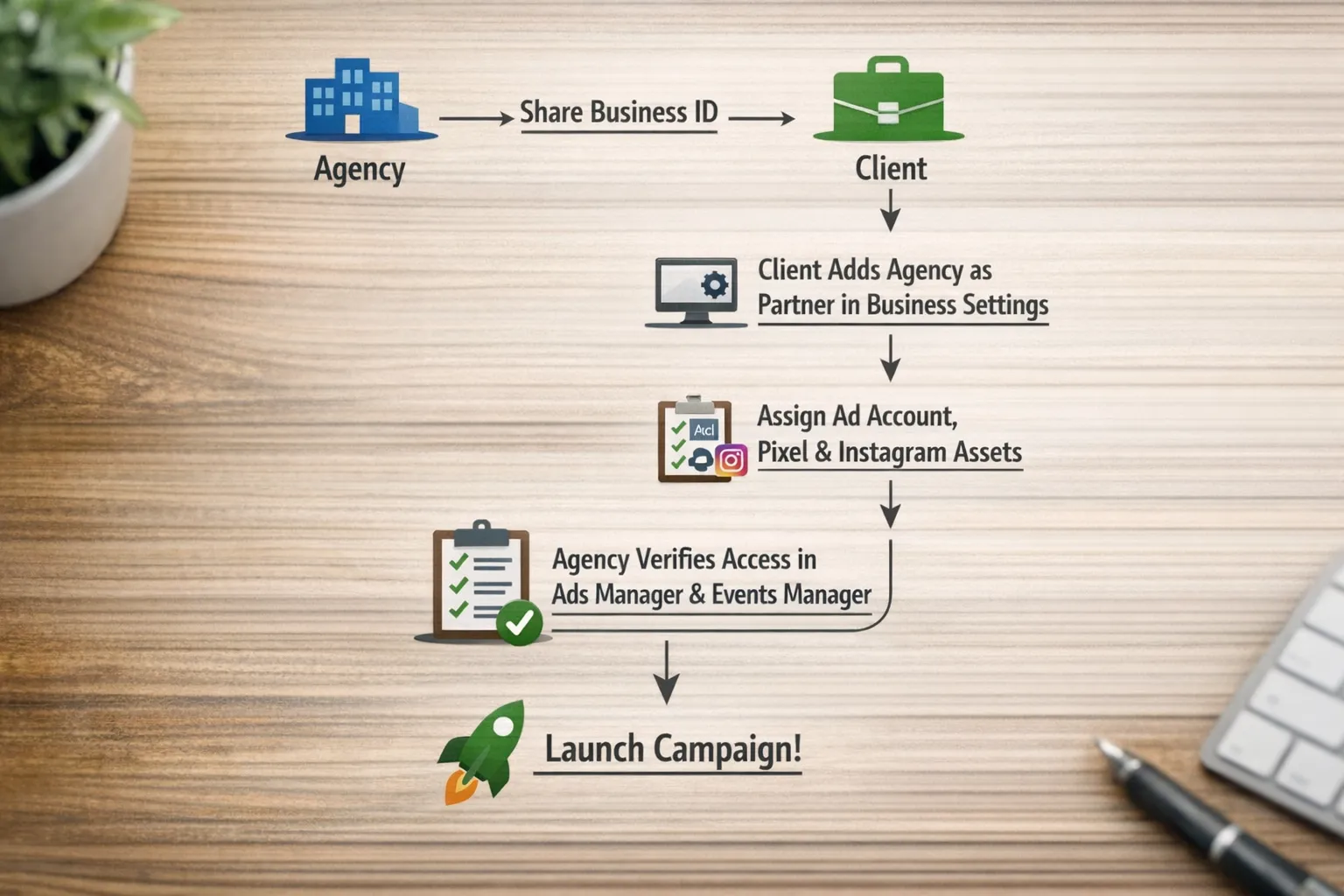
Exchange Business IDs. Agency sends its Business ID, the client sends theirs.
-
Client adds the agency as a partner in Business Settings. The client goes to Users, Partners, Add, then enters the agency Business ID.
-
Client assigns assets and permissions to the partner. Under the new partner, the client selects Ad accounts, chooses the relevant ad account(s), and grants only what is required. Do the same for the Pixel, Page, Instagram account, and Catalog if needed.
-
Agency validates access live. A quick screen share reduces back‑and‑forth. Confirm you can see the ad account in Ads Manager and the Pixel in Events Manager, and that the permission level matches the scope.
-
Document the final state. Capture the asset IDs, who has which role, and any limits or billing constraints.
Permission templates for common agency scopes
Grant the minimum needed to do the job. Expand only when there is a clear operational reason.
| Team function | Ad account role | Business role | Other assets |
|---|---|---|---|
| Media buyer | Advertiser (create and edit ads) | Employee | Pixel access, Page/Instagram, Catalog if applicable |
| Strategist/account lead | Advertiser, sometimes Admin if they must manage limits | Employee | Pixel access, Page/Instagram |
| Analyst/reporting | Analyst (view performance only) | Employee | Pixel read access, Page insights |
| Billing/finance coordinator | Usually none on ad account, manage billing via Business finance roles at the business level | Finance analyst or finance editor at Business level | N/A |
| Technical/measurement | Advertiser on the ad account if they create campaigns, or none if only working in Events Manager | Employee | Pixel admin or appropriate system user for Conversions API |
Note, Business‑level finance roles are distinct from ad account roles. Use them when the client wants someone to view or manage billing without granting campaign control.
The 15‑minute verification sprint
Run this immediately after the client assigns assets. It catches permission gaps before they slow you down.
- Confirm ad account visibility in Ads Manager and that the currency, time zone, and spending limit match the scope
- Check billing ownership, who pays, and whether a spending limit or credit line is in place
- In Events Manager, confirm the Pixel and data sources exist and show recent activity, verify that the correct Pixel is associated with the ad account
- Confirm the Facebook Page and Instagram account are linked to the ad account if you plan to run ads from those identities
- Create a draft campaign and ad to ensure practical access works, do not publish yet
- Note any blocks, for example ads disabled in Account Quality, and plan remediation
Common blockers and fast fixes
- Client asset lives in a personal ad account, help them migrate to a Business Manager ad account owned by the client
- Agency cannot see the ad account after partner add, the client added the partner but forgot to assign the specific ad account asset
- Admin requested by habit, push for Advertiser unless there is a defined need to manage billing or limits
- Two‑factor not enforced, ask the client to enable 2FA for Business admins and employees before granting access
- Pixel mismatch, the ad account points to the wrong Pixel, fix in Events Manager and associate the correct data source
- Disabled or restricted ad account, resolve in Account Quality before proceeding
Governance that keeps access clean
- Use partner access, not passwords, never request personal logins
- Apply least‑privilege roles, expand only when justified and documented
- Maintain an audit trail, who requested what, who approved it, and when
- Standardize naming conventions for ad accounts, campaigns, Pixels, and partner labels
- Schedule quarterly access reviews and remove stale users and partners
Doing this at scale with Connexify
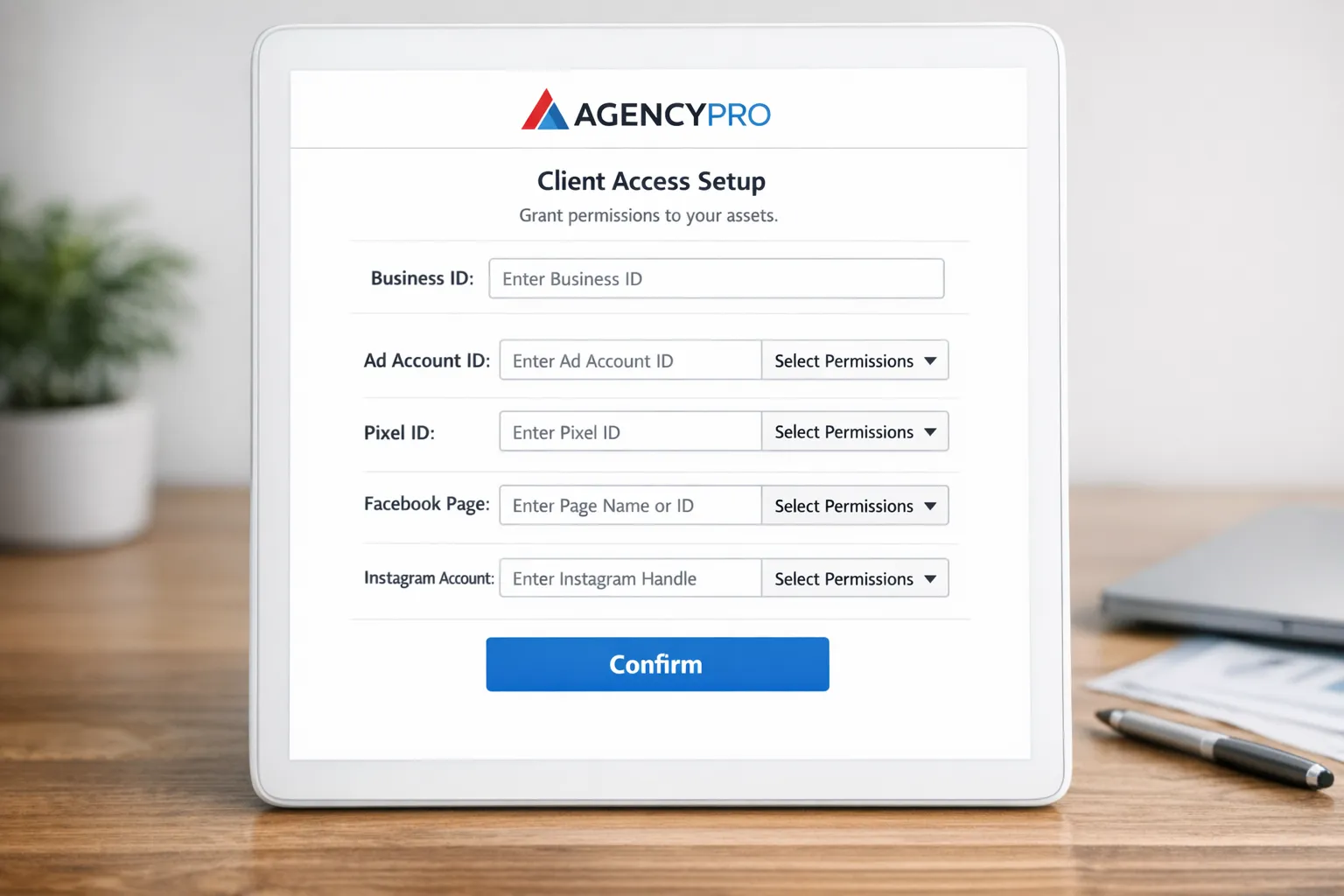
If you handle more than a handful of onboardings a month, manual coordination becomes the bottleneck. Connexify centralizes the client handoff with a single, branded link that captures the exact Meta assets and permissions you need, along with any other platforms in scope.
- One‑link client onboarding with your branding, no installation required
- Supports multiple platforms, Meta, plus the rest of your ad and analytics stack
- Customizable permissions so you only request what each package needs
- White‑label options to match your agency identity
- API and webhook integrations to trigger your PM or CRM workflows the moment access is granted
- User‑friendly dashboard and secure data handling for your team and clients
- 14‑day free trial so you can pilot the flow before you commit
Agencies use Connexify to eliminate back‑and‑forth and compress time‑to‑access from days to seconds while keeping the client in control of their assets. Explore how it fits your onboarding flow at connexify.io.
Client‑facing message you can copy
Subject, Granting your agency access to Ads Manager
Hi [Client Name],
To get campaigns live quickly and securely, please add our agency as a Partner to your Meta Business:
- Our Business ID, [Agency Business ID]
- Assets to assign, [Ad account ID(s)], Pixel [ID], Facebook Page, Instagram account
- Permission level, Advertiser on the ad account, Pixel access, and Page/Instagram access
Steps, In Business Settings, go to Users, Partners, Add, enter our Business ID, then under that partner assign the assets above.
Once done, we will verify live on a short call and begin building your first draft campaign. Questions welcome.
Thanks, [Your Name]
Train your team to handle access and security objections
Even a rock‑solid process slows down if your team cannot explain why partner access is safer than sharing passwords, or how least‑privilege protects the client. Give your account managers a safe place to practice the conversation and responses to common pushbacks. Consider using AI roleplay training to simulate client scenarios, build confidence, and shorten time‑to‑access.
Quick reference, where things live in Meta
| Task | Where to go |
|---|---|
| Add partner and assign assets | Business Settings, Users, Partners |
| Adjust ad account roles | Business Settings, Accounts, Ad accounts |
| Create and manage campaigns | Ads Manager |
| View and configure Pixel and Conversions API | Events Manager |
| Review account restrictions and quality | Account Quality |
| Set spending limit or payment method | Ad account billing settings or Business finance settings |
Metrics that prove your onboarding is working
- Time to Ads Manager access, request to verified partner assignment
- First draft campaign time, access verified to first draft shared
- Permission error rate, percentage of requests missing one or more assets
- Access rework rate, number of times you need to ask the client to change permissions
- Security exceptions, any use of passwords or non‑standard access paths
Putting it all together
- Standardize on partner access, not user invites or passwords
- Request only what your scope requires, Advertiser is enough for most media work
- Verify live in 15 minutes, catch and fix gaps immediately
- Automate the moments between steps so you do not wait on email threads
- Use Connexify’s single, branded onboarding link to gather IDs, permissions, and cross‑platform access in one shot, and trigger your downstream workflows