Evaluating Social Media Marketing Services for Faster Onboarding
12/04/2025

Frictionless onboarding has become a make-or-break factor when agencies vet social media marketing services. Even the most talented service provider loses its shine if a client spends days chasing login links, granting ad permissions, or puzzling over what they just signed. In late 2024, HubSpot’s State of Marketing report found that 71 percent of businesses drop or delay a new vendor when the onboarding process exceeds one week. For agencies juggling multiple channels and tight campaign launches, time is literal money.
In this guide we detail how to evaluate social media marketing services through the lens of onboarding speed, share a side-by-side look at common approaches, and offer practical tactics to get clients set up in minutes instead of days.
Why Onboarding Speed Matters for Agencies
- Revenue realization. The faster an ad account is connected, the sooner billable work starts.
- Client satisfaction. A straightforward signup experience signals operational maturity and builds trust.
- Internal efficiency. Less time on manual permission requests frees your team for strategy and creative work.
- Competitive differentiation. Agencies able to launch campaigns within 24 hours gain a decisive edge in pitches.

Core Evaluation Criteria for Faster Onboarding
1. Centralized Credential Handoff
Choose a provider that offers one secure location for clients to connect Facebook, Instagram, LinkedIn, TikTok, or Google Ads. A centralized flow eliminates the dreaded back-and-forth email chain of usernames and screenshots.
Questions to ask:
- Does the service provide an all-in-one connection portal?
- How is sensitive data stored and encrypted?
2. Pre-built Integrations and Robust APIs
Native integrations save hours of custom development. If you employ a custom dashboard, make sure there is an API or webhook you can drop in your existing stack.
Look for:
- Coverage of major social ad platforms.
- Webhook triggers for real-time status updates (approved, pending, error).
- Sandbox environment for testing before client rollout.
3. Permission Granularity and Compliance
Fast does not mean reckless. Verify that the service lets you request scoped permissions—ad account management without admin rights, for example—and complies with GDPR and SOC 2 security requirements.
4. Branded Experience
A white-label or co-branded flow keeps your agency front and center. Consistent branding reassures clients they are still working with you, not an unknown third party.
5. Automation and Workflow Triggers
Automated reminders, status pings, and approval emails shrink “client idle time.” Ensure the platform can:
- Send automatic follow-ups if a step is incomplete.
- Notify your team in Slack or email the moment a client finishes onboarding.
6. Post-Onboarding Analytics Access
Once credentials are live, your analysts should see live spend and performance data without extra authentication hoops. Confirm the service pushes data into your reporting layer quickly.
Comparing Onboarding Approaches
| Approach | Typical Setup Time | Pros | Cons |
|---|---|---|---|
| Manual email and spreadsheet exchange | 3–7 days | Zero software cost, familiar to all | High risk of errors, security concerns, extremely slow |
| Built-in platform invites (e.g., Facebook Business Manager) | 1–3 days | Native to platform, no extra vendor | Each network has its own process, clients must repeat steps for every channel |
| All-in-one one-link solution (e.g., Connexify) | Under 10 minutes | Centralized, branded, supports multiple platforms, permission templates | Requires SaaS subscription |
Best Practices to Reduce Onboarding Friction
- Send the onboarding link immediately after the contract is signed.
- Pre-fill known client information to avoid redundant fields.
- Use screencasts or GIFs that show exactly what to click.
- Set escalation rules: if a client stalls for more than 24 hours, trigger a reminder, then a personal phone call.
- Track throughput. Measure “invite sent to first ad live” as a KPI and review monthly.
How Connexify Accelerates Social Media Onboarding
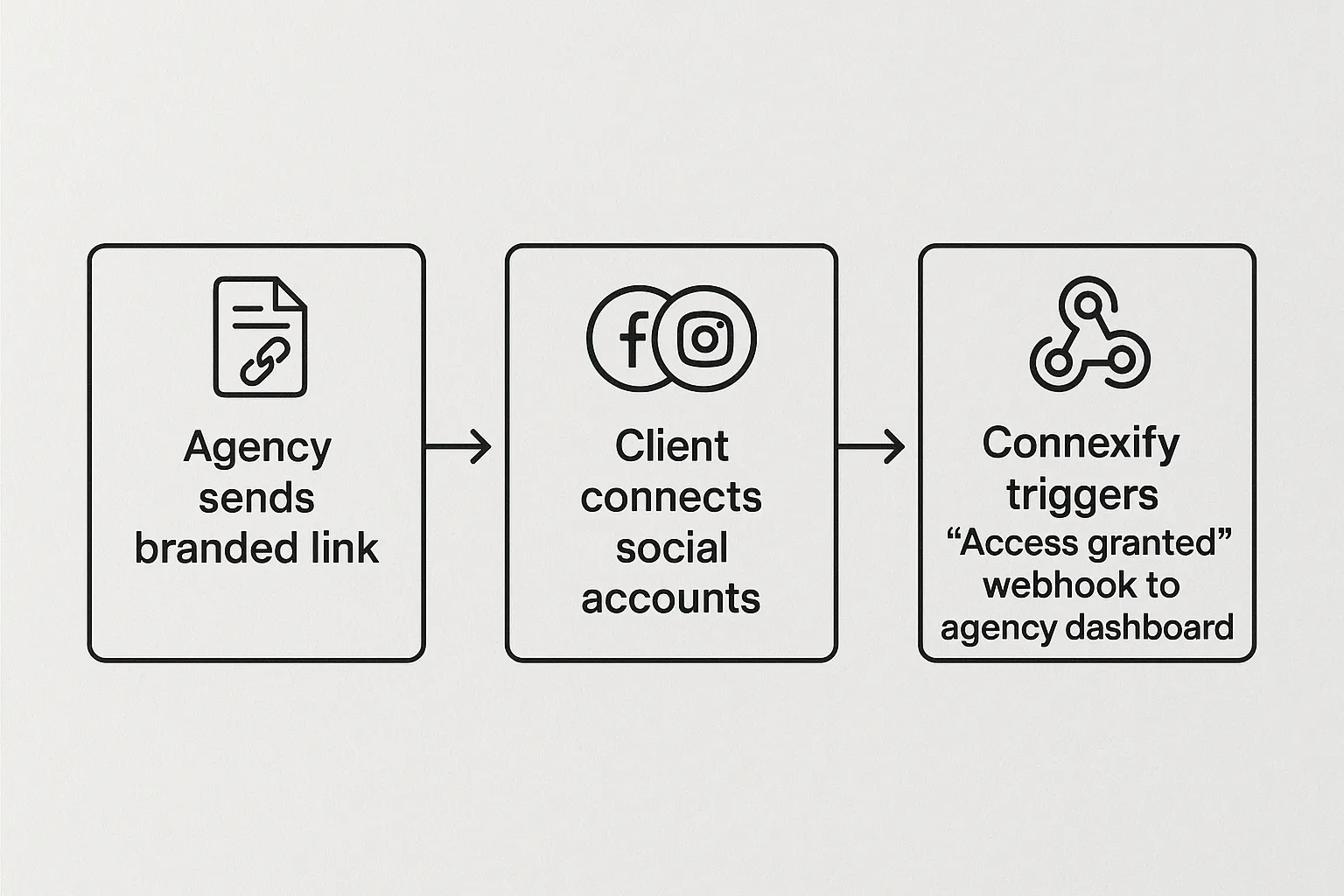
Connexify was built specifically to erase the bottlenecks outlined above. Agencies embed a single, branded onboarding link inside their welcome email or project management tool. Clients click once, authenticate the networks you specify, and are done.
Relevant features include:
- One-link onboarding that supports Facebook, Instagram, LinkedIn, TikTok, Google Ads, and more.
- Customizable permission templates so you request only what you need.
- White-label styling to keep the flow under your agency brand.
- API and webhook integrations that push real-time status updates to Slack, HubSpot, or your internal dashboard.
- Secure data handling, with end-to-end encryption and no credentials stored in plain text.
You can explore a live walkthrough on the Connexify features page or start a risk-free trial for 14 days.
Frequently Asked Questions
Do I still need to invite clients in Facebook Business Manager if I use Connexify? No. Connexify handles the permission grant through Facebook’s secure OAuth flow inside the same branded link.
Can I limit access to only the ad accounts I manage? Yes. Permission templates let you request granular access to specific assets without global admin rights.
How long does it take to implement Connexify? Most agencies integrate the one-link flow in under an hour because there is no installation or code deployment required.
Ready to Slash Onboarding Time?
If your agency is tired of waiting days for ad account access, it is time to see a faster way. Book a personalized demo or activate your free 14-day trial at Connexify.io and launch your next social media campaign in minutes.