Client Onboarding for SEO: Access, Content, and Tracking
03/05/2026


SEO projects rarely fail because of “bad SEO.” They fail because onboarding leaves gaps: the agency cannot verify access, content owners do not know what “done” means, and tracking is not ready when the first technical or content changes ship.
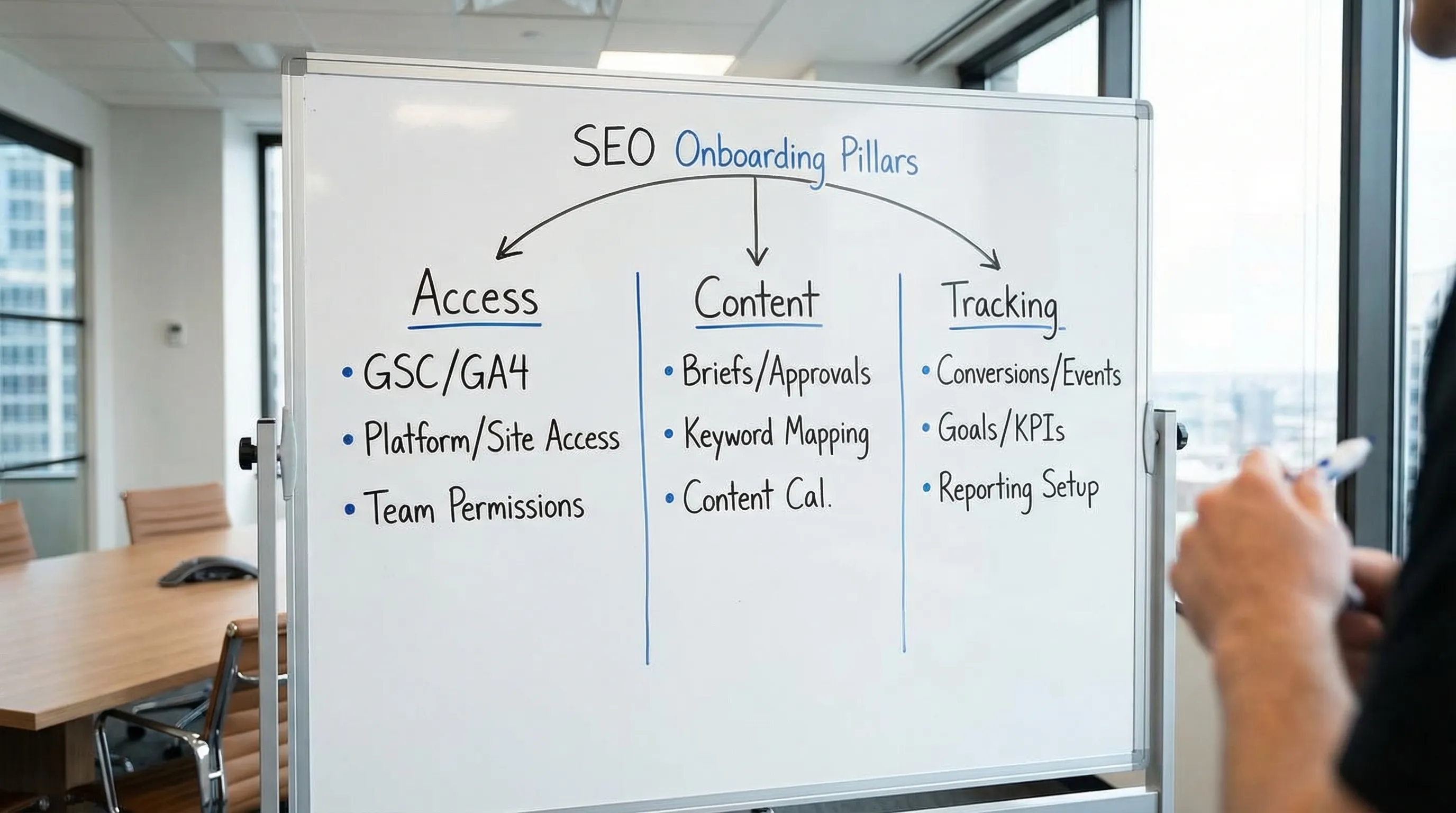
This guide gives you a repeatable client onboarding for SEO system built around three pillars:
- Access (get the right permissions, quickly, without password chaos)
- Content (turn approvals and publishing into a predictable supply chain)
- Tracking (make SEO performance measurable from day one)
Why client onboarding for SEO is its own discipline
SEO onboarding is different from paid media or social because:
- The surface area is bigger: CMS, analytics, Search Console, Tag Manager, CDN, product feeds, forms, CRM, and sometimes engineering workflows.
- The feedback loop is slower: if tracking is wrong in Week 1, you can lose weeks of learnings before anyone notices.
- The risk profile is higher: the wrong CMS permissions, DNS access, or misconfigured redirects can create outages or de-indexing risk.
That is why a good SEO onboarding process is less about “collecting logins” and more about verifiable access, clear ownership, and measurement readiness.
Pillar 1: Access (what to request, who needs it, and how to verify)
Start with a simple rule: request the minimum access required to ship value, then escalate only when necessary. This reduces security risk and speeds approvals.
The SEO access checklist (minimum viable set)
For most SEO retainers, these are the assets you should standardize in your onboarding request:
- Google Search Console (GSC): to validate indexing, coverage, sitemaps, manual actions, and query data.
- Google Analytics 4 (GA4): to measure organic traffic quality and conversions.
- Google Tag Manager (GTM) (if used): to verify tag governance, events, and conversions.
- CMS access (WordPress, Webflow, Shopify, headless CMS, etc.): to publish and update content, metadata, internal links.
- DNS or domain access (sometimes): for domain verification, migrations, and certain technical fixes.
- Reporting destination (Looker Studio, Sheets, BI tool): to align the reporting layer early.
For Google products, link to the official permission guidance in your client instructions so the client can complete the task faster:
- Search Console users, owners, and permissions
- GA4 user management
- Tag Manager access and permissions
Access matrix: what “least privilege” looks like for SEO
Use a single, agreed table in your SOP so your team requests consistent permissions and clients do not get conflicting messages.
| Asset | Why you need it | Recommended minimum access | Verification step (what “working” means) |
|---|---|---|---|
| Google Search Console | Indexing, queries, sitemaps, technical SEO insights | Full user (or equivalent) for the property | You can open Performance + Pages reports, submit or view sitemaps |
| GA4 | Conversion measurement, landing page performance, engagement | Viewer or Analyst for most roles, Admin only if you must configure | You can see organic traffic, conversions, and key events in reports |
| GTM | Tag QA, conversion instrumentation checks | Read access for QA, Publish only if you own tagging | You can open the container, view versions, confirm triggers/tags |
| CMS | On-page optimization and publishing | Editor for content work, Admin only for technical plugin/theme changes | You can edit a page, update metadata, and publish to staging or production |
| DNS/Registrar | Domain verification, migrations, email deliverability coordination | Time-boxed or limited role if available | You can verify domain ownership tasks without full admin exposure |
| Robots/sitemap hosting location | Crawl control and discovery | Access depends on stack (CMS, CDN, static) | You can locate and validate robots.txt and sitemap URLs |
Add a verification sprint to your onboarding (do not skip this)
A common failure mode is “invites were sent” but access is wrong or tied to the wrong identity. Fix this by timeboxing a short verification sprint.
A practical sprint looks like this:
- Confirm the agency can access the correct GSC property (domain vs URL-prefix) and the preferred canonical version.
- Confirm GA4 access includes the right property and that organic traffic is visible.
- Confirm GTM container access matches the site and environment (production vs staging).
- Confirm CMS access allows publishing, not just viewing.
If you like the idea of an onboarding SLA for access, Connexify has a dedicated guide on the concept of Time-to-Verified-Access (TVA) here: Time-to-Verified-Access: The SLA That Prevents Delays.
Pillar 2: Content (turn “we need content” into a predictable system)
Once access is underway, the next bottleneck is usually content. In SEO onboarding, “content” includes not only writing, but also approvals, publishing, internal linking, and updates.
Build a content bill of materials (BOM) for SEO
Instead of asking clients for “brand guidelines and blog access,” request a concrete BOM that matches SEO execution:
- Brand and compliance constraints (what you can and cannot say)
- Product/service differentiators and proof points (case studies, testimonials, data)
- SME availability and approval path (who signs off, and how fast)
- Existing content inventory (top URLs, legacy blog, key landing pages)
- Visual assets (logos, screenshots, product photos, style guidance)
- Legal requirements (regulated language, claims, disclaimers)
This reduces rework because you can create briefs that are actually publishable.
Define a lightweight approval workflow before you write
Many SEO teams lose weeks because drafts sit in inboxes. Fix that by agreeing on a simple workflow and SLAs during onboarding.
A usable default:
- Draft: agency creates SEO brief and first draft.
- SME review: subject matter expert checks factual accuracy.
- Brand or legal review (if needed): only for higher-risk pages.
- Publish: agency publishes (or hands off to the client) with a QA checklist.
Keep it simple, but explicit. If you already have a broader approvals system, this Connexify post on designing approvals without slowing production can help you structure it: Creative Approvals Workflow That Doesn’t Slow Production.
Content readiness checks (the “publishability” test)
Before your first content sprint, verify:
- The CMS supports your required SEO fields (titles, meta descriptions, canonicals where applicable).
- Image compression and basic performance hygiene is possible within the stack.
- The client can support internal linking updates (navigation, related content modules, footer links) if needed.
- You know who can deploy templates (for larger technical changes).
If these checks fail, content velocity will look like an SEO problem, but it is actually an operations problem.
Pillar 3: Tracking (what you must align before you report SEO results)
SEO reporting goes sideways when the agency and client do not agree on:
- What a “conversion” is
- Where conversions are recorded (GA4, CRM, e-commerce platform)
- How organic performance is segmented (brand vs non-brand, geo, product line)
The minimum measurement set for SEO onboarding
You do not need a perfect attribution model on Day 1, but you do need a clean baseline.
Define the following during onboarding:
- Primary conversions: leads, purchases, demo requests, trial signups.
- Micro conversions: key page views, form starts, phone clicks, pricing page visits (only if they correlate with revenue).
- Reporting scope: which domains/subdomains and which GA4 streams count.
- SEO segments: brand vs non-brand, core pages vs blog, target geos.
Then verify the fundamentals:
- GA4 conversions (key events) exist and are firing.
- GSC is connected to the correct property and the right site variant.
- The sitemap is reachable and being processed.
Tracking readiness gates you can actually use
A simple way to operationalize this is to define “done” as gates, not tasks.
| Gate | Pass criteria | Why it matters |
|---|---|---|
| Access ready | GSC, GA4, CMS access verified by the agency | Prevents waiting on permissions mid-sprint |
| Measurement ready | Key conversions can be observed end-to-end (test lead or purchase) | Prevents reporting noise and false conclusions |
| Content ready | Approval owner exists, workflow agreed, publishing path confirmed | Prevents content backlog and stalled velocity |
| Technical ready | Crawl access and deployment path for fixes is known | Prevents “we found issues but can’t fix them” |
If you want a broader onboarding checklist template, you can adapt the structure from: Client Onboarding Checklist for Retainers: Day 0 to Day 7 and tailor the gates to SEO.
A practical Day 0 to Day 7 SEO onboarding plan
You do not need a complex rollout. You need ordered actions.
Day 0: Handshake and single source of truth
Decide where onboarding lives (one link, one portal, one tracker). Confirm the primary point of contact and escalation path.
Day 1 to Day 2: Access requests + verification sprint
Send a single consolidated request for GSC, GA4, GTM (if used), CMS, and any technical dependencies. Run the verification sprint as soon as access is granted.
Day 3 to Day 4: Measurement alignment
Write down conversion definitions, confirm where they are recorded, and run a test conversion if possible.
Day 5 to Day 7: First SEO deliverables that create momentum
Pick deliverables that reduce risk and create signal:
- Fix one high-confidence technical issue (indexing, crawl, redirects, canonicalization)
- Publish or refresh one priority page
- Ship an internal linking improvement
This creates early trust because the work is visible and measurable.
What to track during SEO onboarding (so you can improve it)
Treat onboarding as a measurable system. Track a small set of operational KPIs.
| Metric | Definition | How it helps |
|---|---|---|
| Time-to-Verified-Access (TVA) | Time from request sent to access confirmed usable | Finds approval bottlenecks and broken permissions |
| Time-to-Measurement-Ready | Time until conversions and analytics are validated | Prevents weeks of unreliable reporting |
| Access error rate | % of access grants that are incorrect on first attempt | Reveals unclear instructions or identity issues |
| Content cycle time | Time from brief to published | Highlights approval and production constraints |
| Onboarding completion rate | % of clients who finish onboarding within SLA | Predicts time-to-first-value and churn risk |
Where onboarding software fits (and when spreadsheets stop working)
If you only onboard a few SEO clients per month, a manual checklist might hold. The moment you scale, the recurring problems tend to be:
- Requests scattered across email threads
- Clients unsure which platform to complete first
- No clear status (invited vs accepted vs verified)
- No consistent permission templates
- No clean handoff into PM/CRM systems
Connexify is built for this exact layer: streamlining client onboarding for agencies and service providers with a single branded onboarding link, permission controls, multi-platform support, and integrations (API and webhooks). The goal is to compress onboarding from days to seconds, without sacrificing security.
Frequently Asked Questions
What access do I need to onboard an SEO client? At minimum: Google Search Console, GA4, and CMS access. Add GTM if you need to QA tags and conversions, and DNS only when domain verification or migrations require it.
Should I ask clients to share passwords for SEO tools? No. Use role-based access and platform-native invitations whenever possible. Password sharing creates security risk and makes offboarding harder.
How do I know tracking is “ready” for SEO? You should be able to observe primary conversions end-to-end (a test lead or purchase), confirm organic traffic is visible in GA4, and validate that GSC data is populating for the correct property.
What is the biggest SEO onboarding mistake agencies make? Confusing “access granted” with “access verified.” Always run a short verification sprint so your team confirms the permissions are correct and usable.
How can I speed up SEO onboarding without losing control? Standardize a single onboarding request (access + content BOM + measurement definitions), use least-privilege permission templates, and instrument onboarding metrics like Time-to-Verified-Access.
Make SEO onboarding repeatable (without the back-and-forth)
If you want your SEO engagements to start faster and cleaner, focus on one outcome: verified access, content readiness, and measurable tracking in the first week.
Connexify helps you operationalize that with a single branded onboarding link, customizable permissions, white-label options, and API/webhook integrations so your team can track onboarding status and reduce manual follow-ups.
Try Connexify with a 14-day free trial or book a demo to see how it fits your SEO onboarding workflow: Connexify.