Pre-Boarding Checklist: What to Collect Before Kickoff
02/23/2026

Kickoff should feel like momentum, not a scavenger hunt.
If your first call with a new client is spent tracking down logins, guessing which ad account is the “real one,” or waiting for a stakeholder to join who can approve access, your delivery timeline is already slipping.
A simple fix is to treat pre-boarding as its own stage with a clear “definition of done.” This pre-boarding checklist helps agencies and service providers collect the minimum required inputs before kickoff so Day 1 is about decisions, priorities, and execution.
What “pre-boarding” actually means
Pre-boarding is everything you collect and confirm between contract signed and kickoff so the kickoff meeting can be operational.
It is not:
- A full discovery workshop
- A 40-question strategy questionnaire
- A request for passwords (avoid this entirely)
It is:
- A short, structured intake
- A secure access plan (who, what, and how)
- A measurement readiness check
- A clear approvals and communication setup
When pre-boarding is done well, kickoff becomes a fast alignment meeting and you can move directly into verification and build.
Pre-boarding checklist (high-level)
Use this as your master list. In the next sections, you will see what “good” looks like for each item.
| Category | What to collect before kickoff | Why it matters |
|---|---|---|
| People and decision rights | Owners, approvers, escalation contacts, time zones | Prevents waiting on “the one person” who can grant access or approve creative |
| Accounts and asset inventory | Which platforms exist, who owns them, which ones are in-scope | Avoids connecting to the wrong accounts and wasting build time |
| Secure access plan | Preferred access method, required permission level, security baseline (MFA/2FA) | Reduces credential risk and access delays |
| Platform IDs | The identifiers your team needs to request or verify access | Eliminates back-and-forth and misidentification |
| Measurement inputs | Primary conversions, tracking status, CRM or lead routing context | Prevents launching campaigns that cannot be attributed |
| Creative and brand kit | Logos, brand rules, offers, compliance notes, existing ads | Speeds production and reduces rework |
| Approvals workflow | Single decider, review surface, SLAs, feedback rules | Stops infinite revision loops |
| Billing and commercials | Spend ownership, invoicing contacts, thresholds, constraints | Avoids mid-flight “we can’t spend that” surprises |
| Legal and compliance | DPAs, consent requirements, regulated claims | Protects both parties and prevents blocked launches |
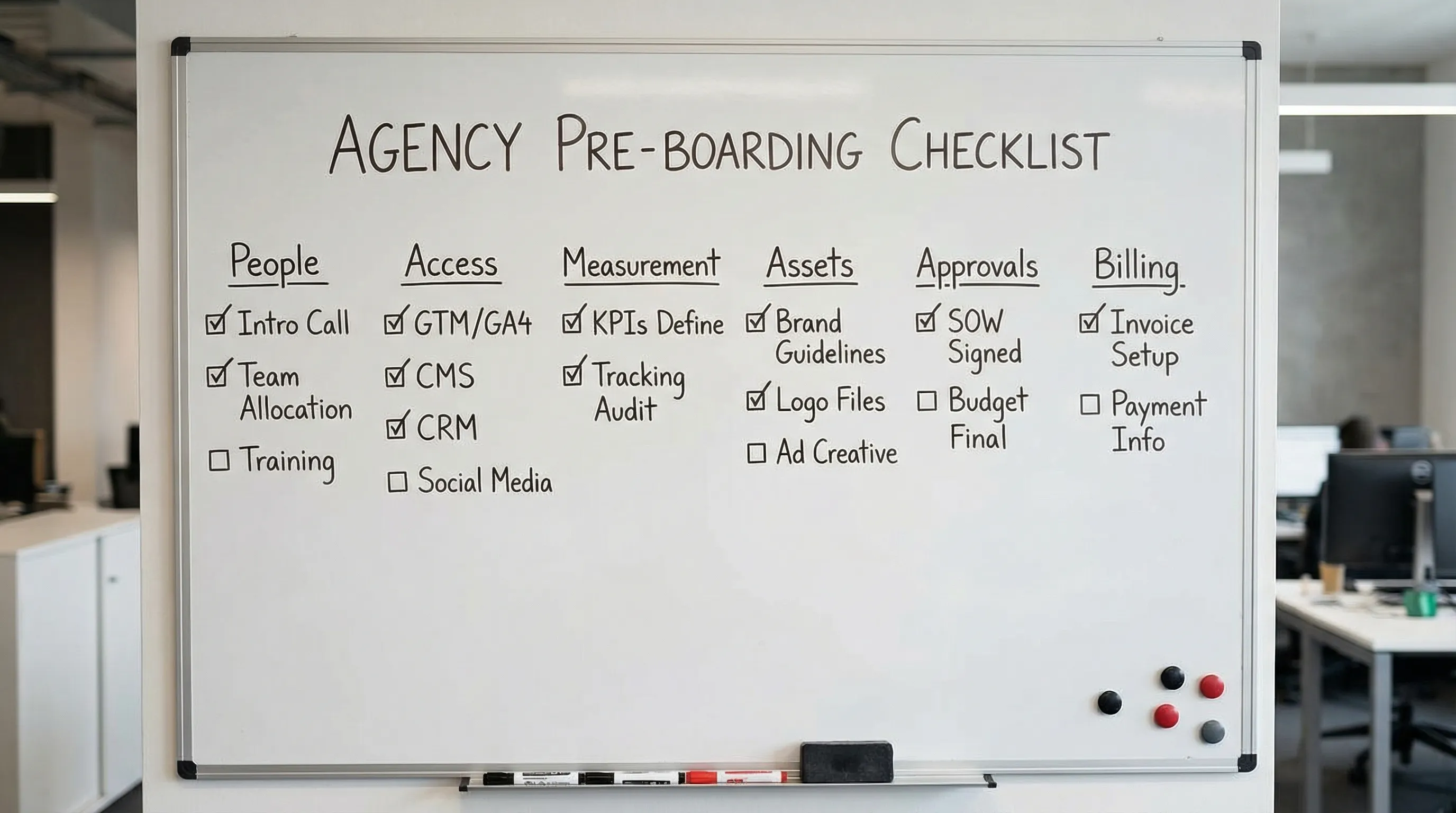
1) People: stakeholders, owners, and decision rights
Before kickoff, you want to know exactly who can do what.
Collect these contacts (name, email, role, time zone):
- Business owner (or accountable exec sponsor)
- Day-to-day marketing owner (your main counterpart)
- Technical owner (web, analytics, tagging, CRM, app)
- Finance/billing contact (invoices, PO, payment method)
- Approver for creative and copy (ideally one)
- Security/compliance contact (only if required by the client)
Also collect one simple rule: who can approve what. For example, “Marketing lead approves creative, CFO approves spend above $X, legal approves regulated claims.”
This is the fastest way to prevent a kickoff that ends with “we will have to get back to you.”
2) Accounts and asset inventory (what exists, what is in scope)
Pre-boarding should establish a basic inventory of systems you will touch.
Ask for:
- Channel platforms in scope (Meta, Google Ads, TikTok, LinkedIn, email, SEO tools)
- Measurement stack (GA4, GTM, pixel(s), server-side tracking, CRM)
- Web stack (CMS, hosting, landing page builder, forms)
- Creative stack (DAM, shared drive, design tools)
Then clarify ownership:
- Does the client own the accounts and grant partner access, or will the agency run anything from agency-owned accounts?
- Are there any agencies already connected that must remain, or be removed?
This one step prevents the classic failure mode: building in the wrong ad account or debugging tracking on a site you cannot edit.
3) Secure access plan (and your “no passwords” rule)
You want access that is fast, least-privilege, and auditable.
Good defaults for agencies:
- Named user access, not shared logins
- Least privilege permissions (start minimal, expand only if needed)
- Multi-factor authentication for user accounts wherever supported
If you need a credible anchor for the MFA requirement, NIST’s Digital Identity Guidelines discuss modern authentication expectations, including MFA concepts and risk-based assurance (NIST SP 800-63).
What to collect in pre-boarding:
- The client’s preferred access method per platform (partner access, user invite, role assignment)
- Any restrictions (SSO required, allowed email domains, IP allowlists)
- Confirmation that the relevant users have 2FA/MFA enabled where applicable
4) Platform IDs and “source of truth” identifiers
Even if access is granted later, collecting IDs before kickoff reduces friction because your team can immediately validate you are looking at the right asset.
Here is a practical mini-matrix you can reuse.
| Platform area | Examples of what to collect | Where it is used |
|---|---|---|
| Meta | Business Portfolio (Business Manager) ID, Ad Account ID, Page ID | Partner access requests, permissions, troubleshooting access mismatches |
| Google Ads | Customer ID (CID) | Linking, billing checks, conversion import planning |
| GA4 | Property ID, data stream info | Measurement readiness, event debugging |
| GTM | Container ID, workspace conventions | Tag deployment planning and QA |
| Search Console | Property type (Domain vs URL-prefix), property name | SEO access, verification planning |
| CRM | CRM name, pipeline stage names, lead statuses | Lead routing, offline conversion mapping |
You do not need a complete encyclopedia of IDs for every tool. You need the ones that prevent misrouting and mis-permissioning.
5) Measurement: conversions, routing, and “measurement-ready” criteria
If you only collect one non-access item in pre-boarding, make it this: what success is, and how it will be measured.
Collect:
- Primary conversion(s) (lead, booked call, purchase, qualified demo, subscription)
- Conversion location (site form, phone, chat, checkout, app)
- Lead routing path (form to email, form to CRM, call tracking, sales inbox)
- Any offline step that determines quality (SQL, attended meeting, closed-won)
Define a simple pass/fail for kickoff readiness. Example:
- A conversion action exists
- The team can trigger a test conversion
- You can verify it appears in the analytics layer that matters (often GA4 and the ad platform)
This avoids the expensive mistake of driving paid traffic into a funnel that cannot attribute outcomes.
6) Creative and brand kit (minimum viable assets)
Kickoff goes faster when your team already has an asset kit and knows what is allowed.
Collect:
- Brand basics (logo files, colors, fonts, tone)
- Offer inputs (what you are promoting, constraints, exclusions)
- Proof assets (testimonials, case studies, before/after, reviews)
- Compliance notes (regulated claims, restricted categories, trademark rules)
- Existing creative or top-performing ads (if available)
If the client has a shared drive, ask for the one canonical folder link and who owns it.
7) Approvals workflow (so production does not stall)
A slow approvals loop can erase any onboarding speed you gained.
Before kickoff, decide:
- Single decider for creative (one person whenever possible)
- One review surface (where feedback lives)
- Turnaround expectation (for example, 24 to 48 business hours)
- Feedback format (clear change requests, not vague opinions)
When approvals are ambiguous, “quick edits” turn into multiple rounds, missed launch windows, and frustration on both sides.
8) Billing and commercial guardrails
Even performance work depends on operational clarity.
Collect:
- Who pays for media spend (client card on platform vs agency pass-through)
- Spend caps and escalation thresholds
- Billing contact and invoice requirements (PO, vendor onboarding, tax info)
- Any contractual SLAs that affect launch (response times, reporting cadence)
This is also where you note known constraints, for example “no weekend launches,” “no incentives,” or “cannot use competitor terms.”
9) Legal, privacy, and compliance considerations
You do not need to turn pre-boarding into legal discovery, but you do need to surface blockers.
Collect:
- Whether a DPA (data processing agreement) is required
- Any consent requirements that affect tracking
- Any regulated industry constraints (health, finance, education)
- Data handling rules (PII restrictions, retention limits)
If compliance is unclear, kickoff should include “assign an owner to resolve compliance questions by date X,” not “we will figure it out later.”
Your pre-boarding “definition of done” (use this as the gate)
Kickoff should not happen until these are true:
- Stakeholders, approver, and billing contacts are confirmed
- In-scope platforms are listed and ownership is clear
- Access method is agreed, and no-password policy is understood
- Core platform IDs are captured (at least ads + analytics)
- Primary conversions are defined, including where they happen
- A basic creative/brand kit is available, or a date is set for delivery
- Approval workflow is agreed (one decider, one review surface)
- Spend/billing guardrails are documented
This gate is how you protect your team’s time and the client’s momentum.
How to collect everything without 30 emails
The operational problem is not that clients refuse to provide inputs, it is that the request is fragmented across threads, docs, and DMs.
Two practical rules:
- One intake path: use a single, client-friendly collection point.
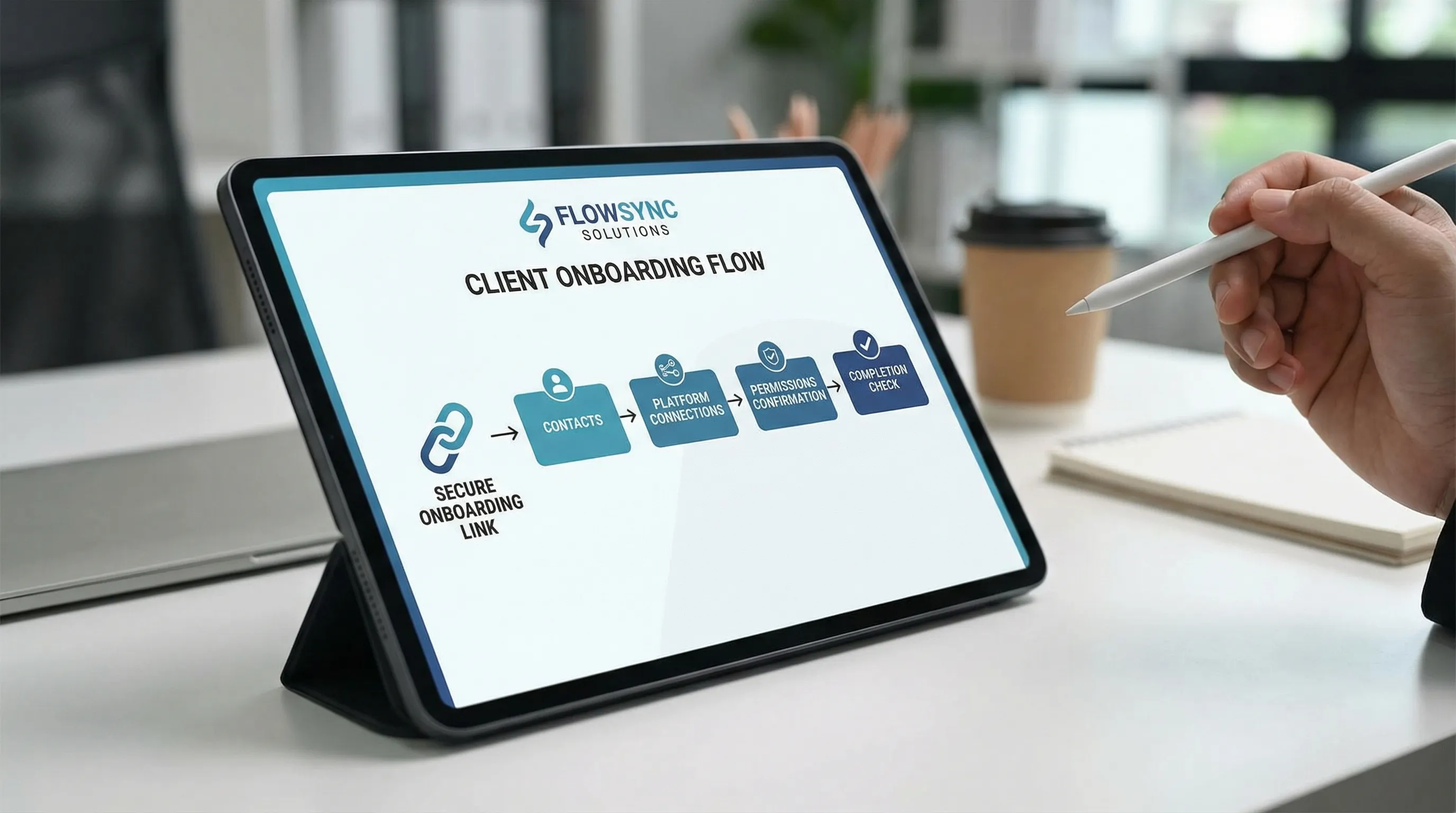
- One branded experience: clients trust the process more when it looks intentional and consistent.
A useful mental model is consumer-grade onboarding. When it is done right, it feels like joining a shared space instantly with one link. For a totally non-business example of frictionless “join and play,” look at how TableCommander’s no-download tables let groups start a session quickly.
For agencies, Connexify is built for the same principle in a business context: a single, branded onboarding link that helps you streamline multi-platform access setup, apply customizable permissions, and centralize onboarding progress in one place. (No installation required.)
Frequently Asked Questions
What is the difference between pre-boarding and onboarding? Pre-boarding is the minimum collection and alignment that happens before kickoff. Onboarding includes access verification, setup, implementation, and the first delivery milestones.
Should I ask clients for passwords during pre-boarding? No. Use named-user access, partner access, and role-based permissions. Password sharing increases risk and usually creates more access issues later.
How long should pre-boarding take? For most agencies, pre-boarding should be measured in hours, not days. If it is stretching longer, it usually means unclear ownership, missing approvers, or an access model problem.
What is the single most important item to collect before kickoff? The primary conversion definition and where it is tracked. You can survive a delayed logo file, but you cannot scale traffic into broken measurement.
How do we prevent kickoff from happening before access is ready? Add a “definition of done” gate and enforce it. If stakeholders or IDs are missing, reschedule kickoff and run a short preflight call focused only on closing gaps.
Streamline pre-boarding with a single branded link
If you want kickoff to be about strategy and execution, not collecting logins and asset IDs, you need a repeatable pre-boarding flow.
Connexify helps agencies and service providers streamline client onboarding with one-link intake, a branded onboarding experience, multi-platform support, customizable permissions, and integrations via API and webhooks.
Start with a low-risk pilot using the 14-day free trial at Connexify, or book a demo to see how a one-link onboarding flow fits your process.